
How do I change my phone number?
Where you change your phone number depends on whether you also use that number to sign in.
Change your messaging phone number
If you do not sign in with your phone number:
- Open Settings > Personal Profile.
- Tap Edit next to Your Phone Number.
- Tap Continue on the warning, enter the new number, and save.
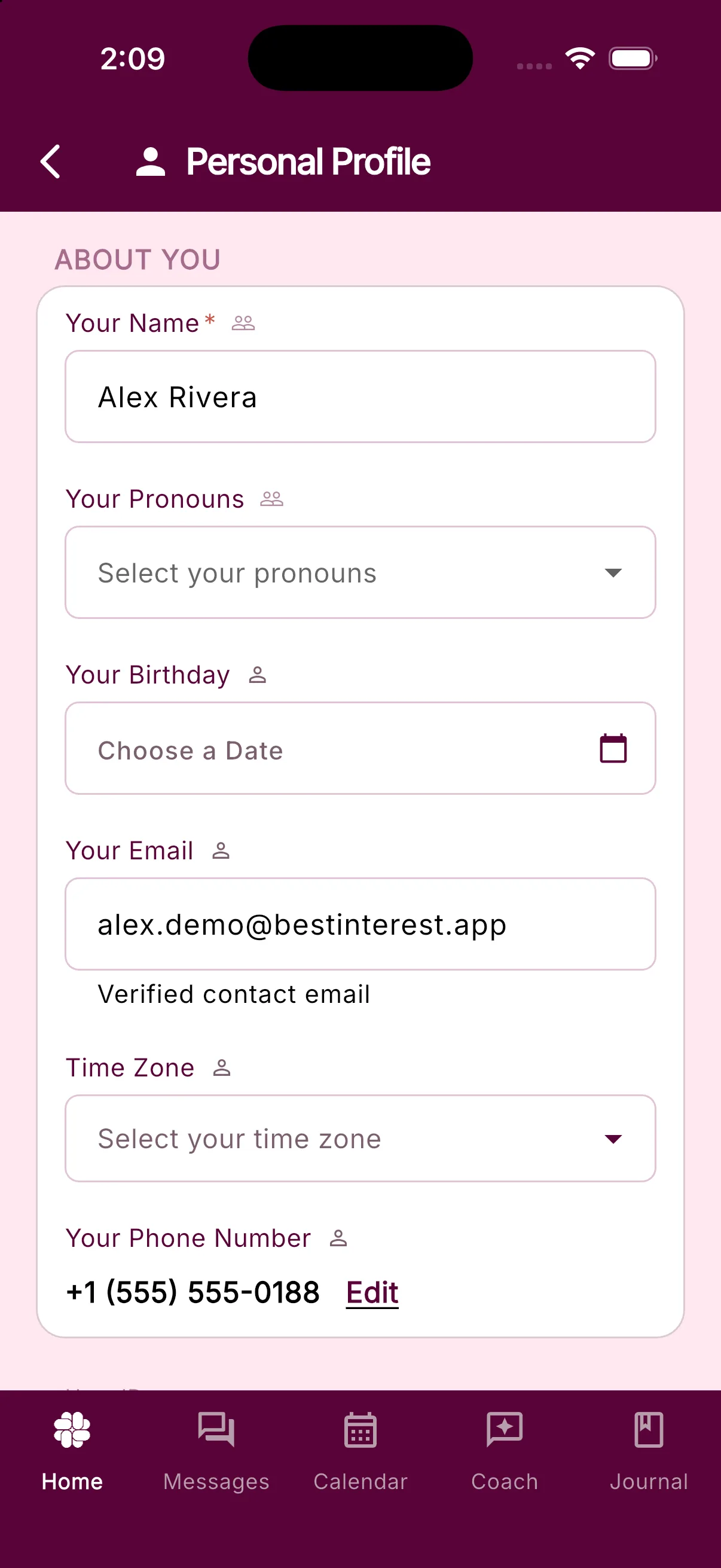
Changing this number may affect delivery of your coparent’s messages, so check it carefully before saving.
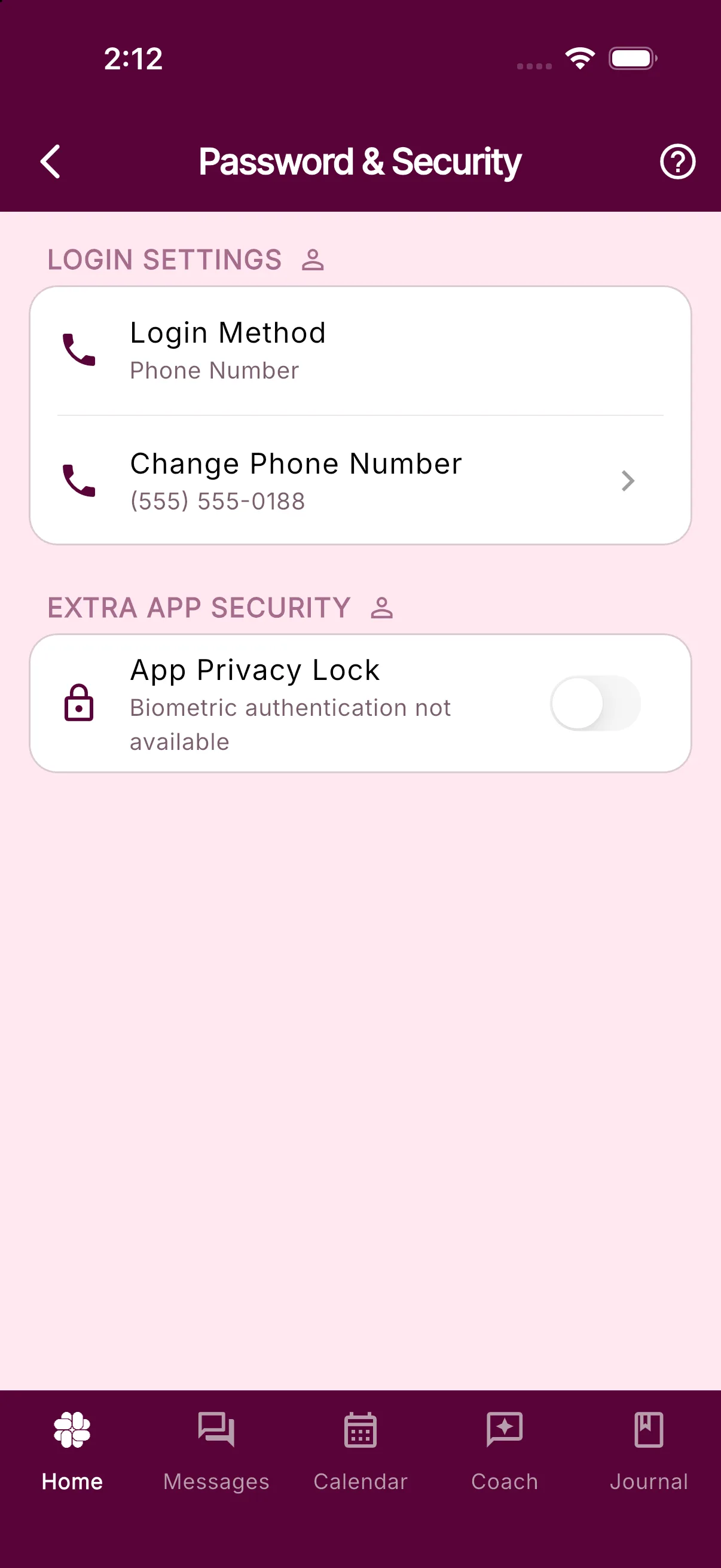
Change the phone number you use to sign in
If you sign in with your phone number, Personal Profile shows it as read-only. You can change it yourself:
- Open Settings > Password & Security.
- Tap Change Phone Number.
- Enter the new number and tap Send Code.
- Enter the verification code sent to the new number.
What if I cannot update my phone number in the app?
Each phone number can belong to only one BestInterest account. If another account already uses the number, Personal Profile may show Failed to save. Please try again. The sign-in change flow instead says This phone number is already linked to another account.
Check whether you previously created another account with that number. If you still need help, contact support so we can investigate without disrupting another account.
Was this helpful?
Still need help?
Contact Support