
How do I find my coparent’s original message?
When Message Shield filters a message, BestInterest shows the child-focused version first. The coparent’s original wording is still stored and available in the message details.
View the original message
- Open the Messages tab.
- Find the message. Filtered messages are marked in the list; a concerning message shows a warning-triangle icon, while urgent and threatening messages use their own icons.
- Tap the message to open Received Message details.
- Scroll to Original Message.
- If Hide Original Message is on, tap Tap to view original message when you are ready.
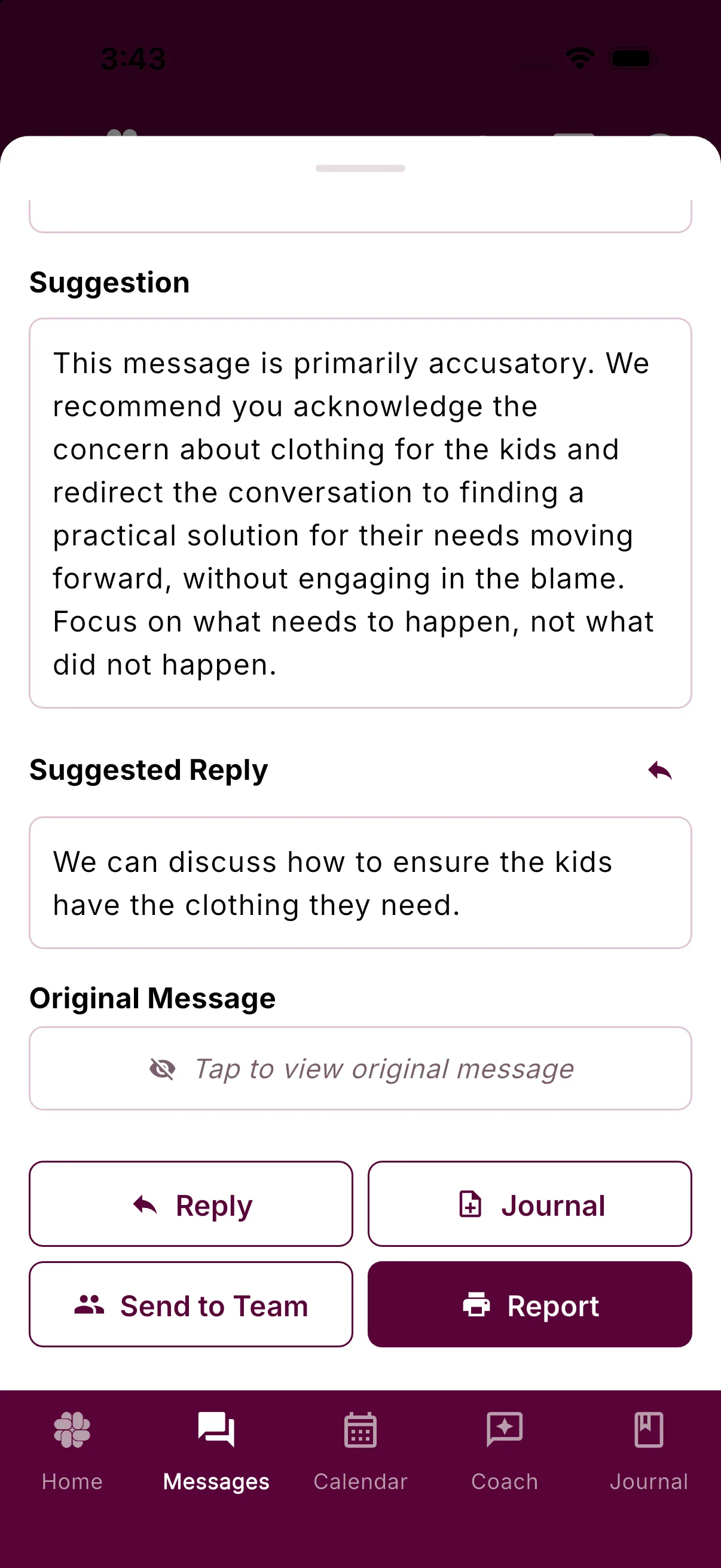
Hide Original Message is on by default. To show originals immediately, open Settings > Emotional Safety and turn that switch off.
Create a verified PDF
Verified PDF reports require Connect or a higher plan. Connect includes up to 10 reports per month, while Protect includes unlimited reports. Tap Report in the message details to generate a verified PDF of that message. The report uses the original wording, even when Message Shield displayed a filtered version in the app.
Send the original to a professional
Tap Send to Team to forward the original message to a therapist, coach, attorney, or another member of your Professionals Team. You do not need to reveal the original first.
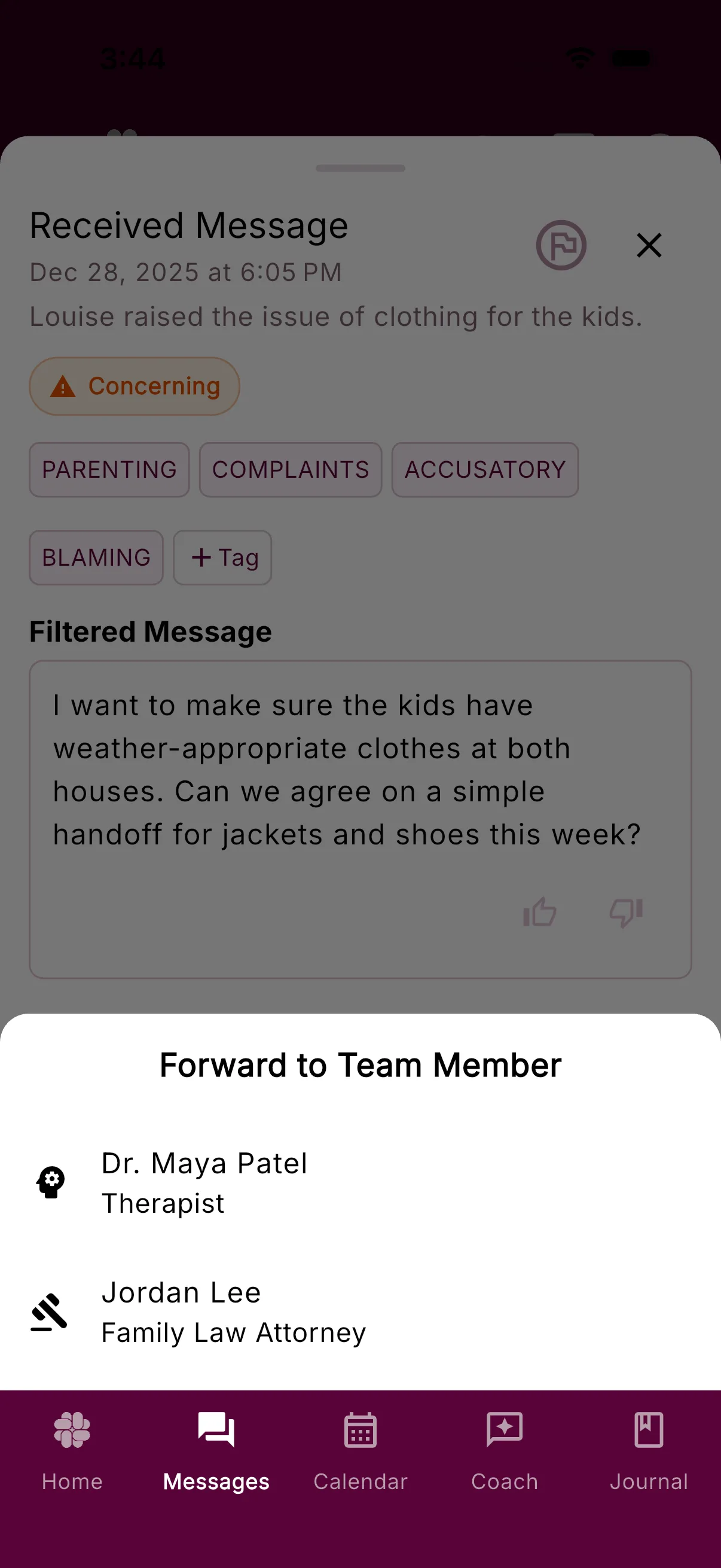
If you have not added anyone yet, BestInterest offers to open Settings > Professionals Team so you can set up your team.
You can adjust incoming filtering under Settings > Message Shield and the reveal behavior under Settings > Emotional Safety > Hide Original Message.
Was this helpful?
Still need help?
Contact Support