
Why am I not receiving notifications of new messages?
If you are missing BestInterest notifications, check the app and phone settings in this order.
Check BestInterest notification settings
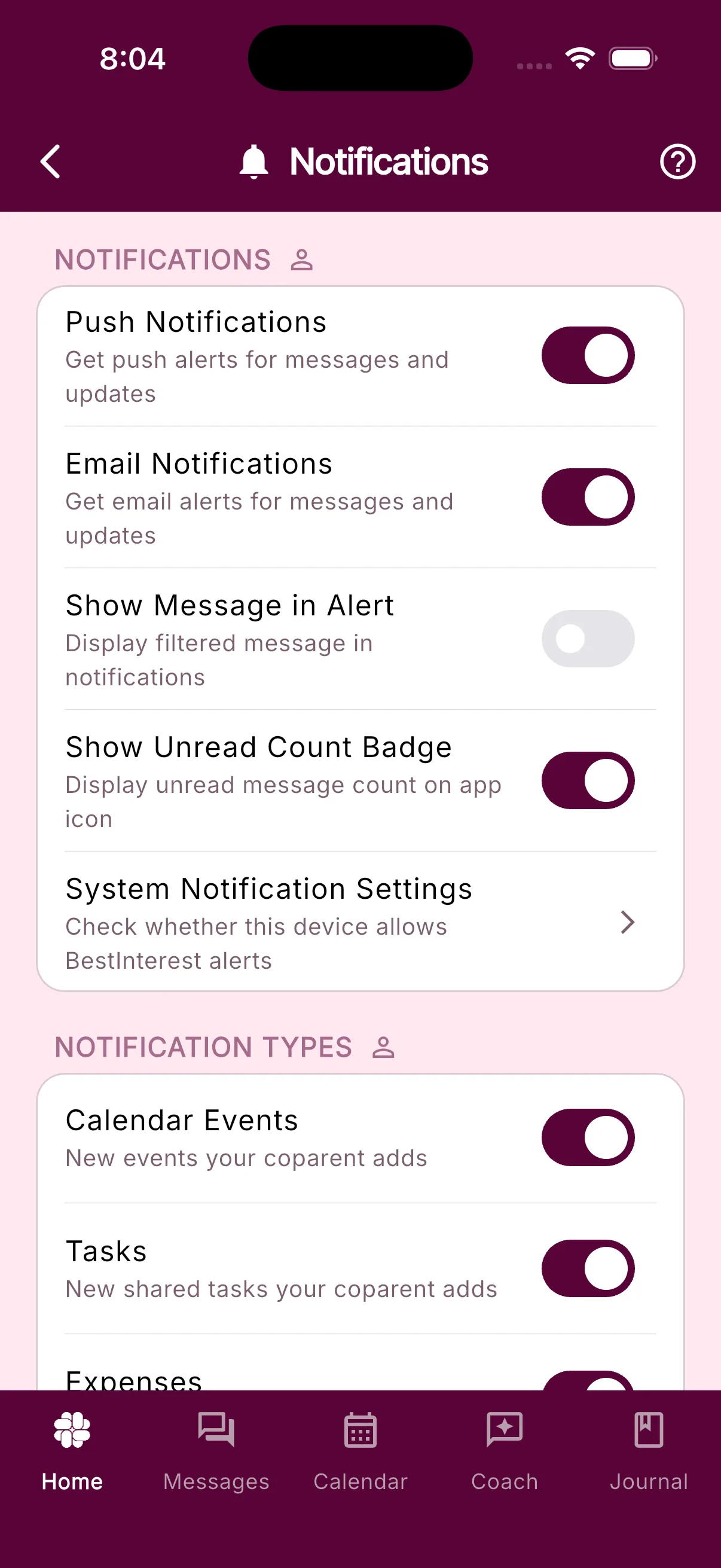
- Open Settings > Message Notifications.
- Make sure Push Notifications is on.
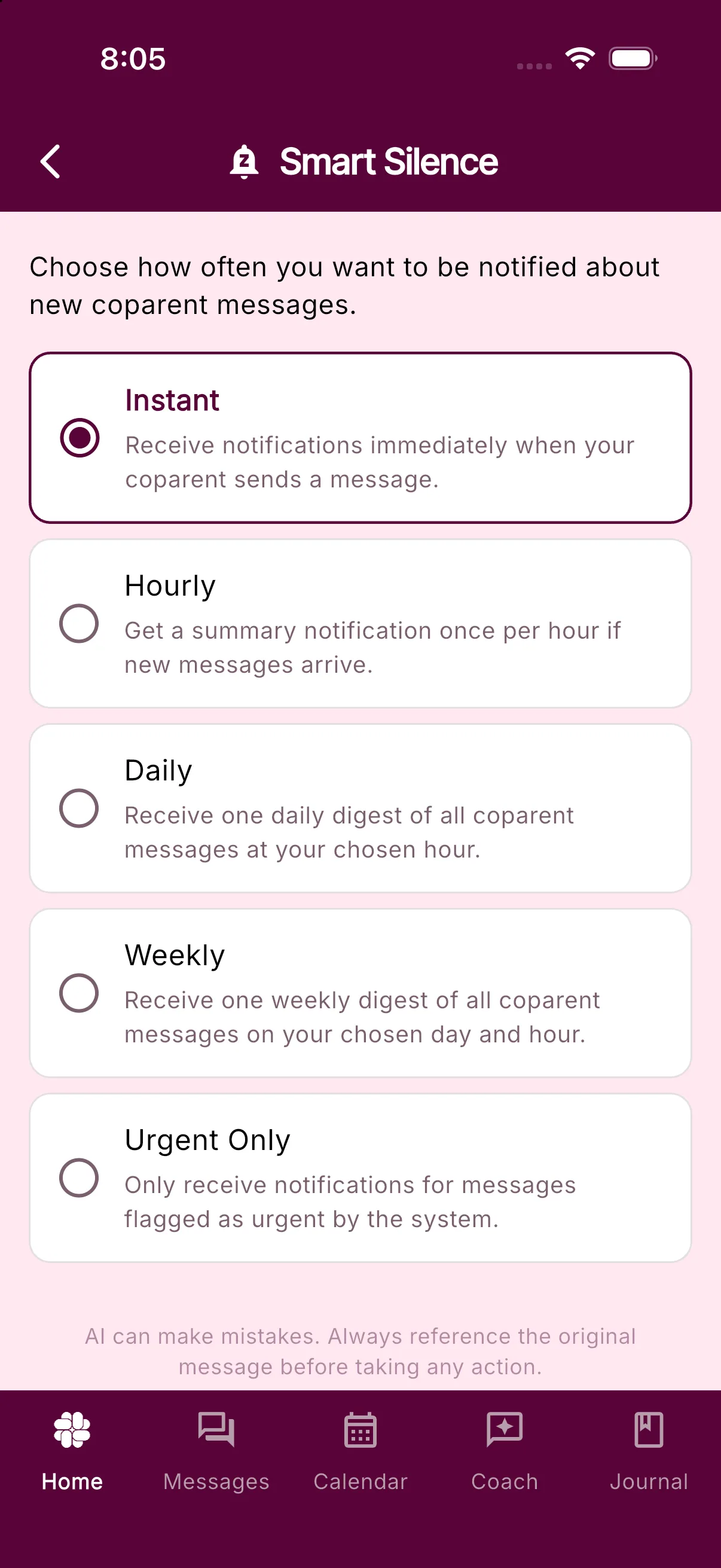
- Under Smart Silence, check the frequency. Hourly, Daily, Weekly, and Urgent Only hold back instant alerts. Choose Instant if you want every message right away.
- If needed, turn Push Notifications off and on again.
Check push delivery
Scroll to Push Delivery. Your phone should appear under Push notification devices as Connected.
- If it says Notifications off, tap Turn On.
- If it says This device needs attention, tap Repair.
- Tap System Notification Settings to open your phone’s BestInterest notification controls.
- Tap Recent Notifications to check what BestInterest last sent.
Check your phone
- iPhone: Open the iPhone Settings app, then Notifications > BestInterest, and turn Allow Notifications on.
- Android: Open Android Settings, then Apps > BestInterest > Notifications, and turn notifications on. Menu names vary by device.
- Check Focus, Do Not Disturb, or battery-saving modes that may silence or delay alerts.
- Install the latest BestInterest update, restart your phone, and confirm that Wi-Fi or mobile data is working.
If notifications still do not arrive, contact BestInterest support and include your device type, operating-system version, app version, and the approximate time of a missing notification.
Was this helpful?
Still need help?
Contact Support