
How do I test the app before I give my number to my coparent?
You can test Boundary Line in Solo Mode before sharing your assigned number with your coparent. Use a trusted helper’s phone for the test. Sending a text from the phone number registered to your own BestInterest account is not supported.
Test with a trusted helper
- Open Settings > Coparent Connection.
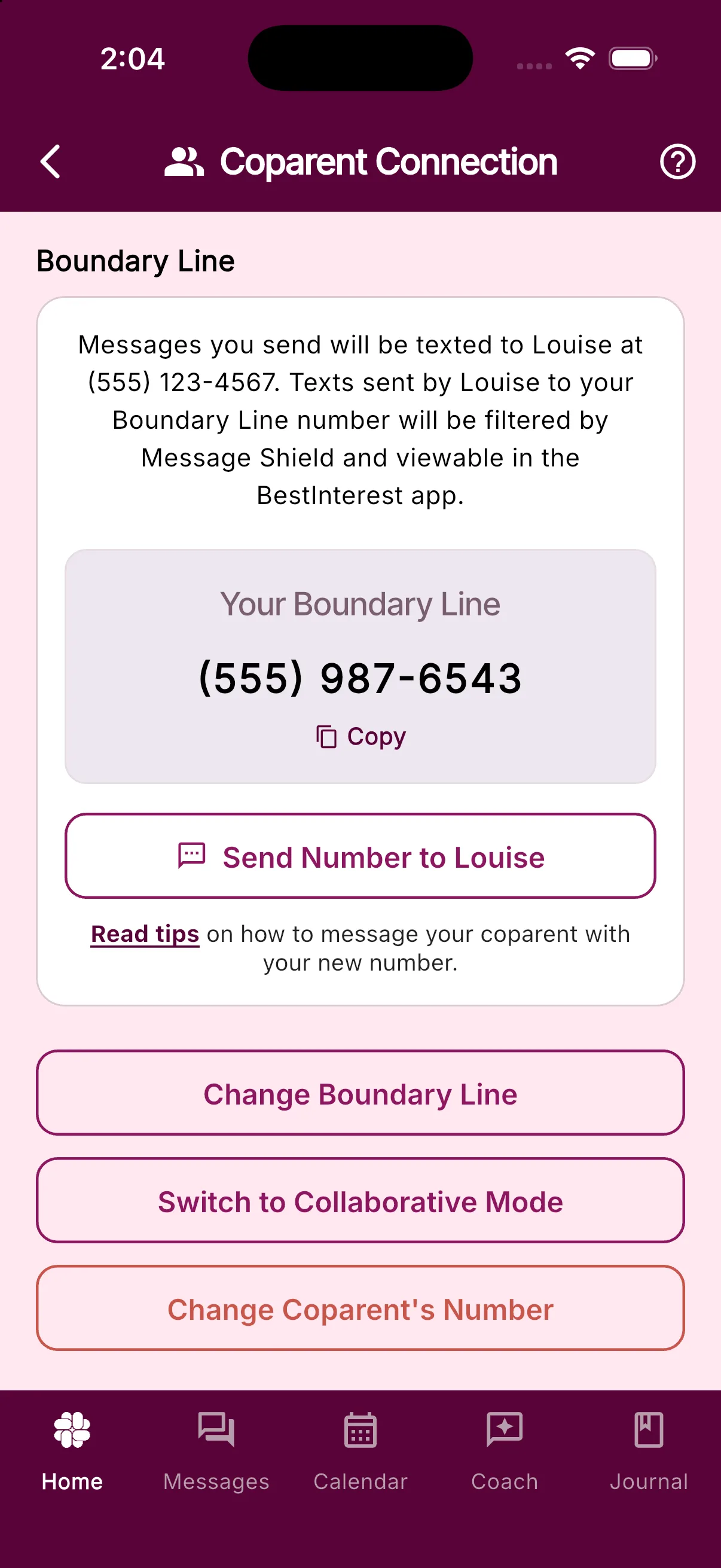
- Enter your helper’s phone number instead of your coparent’s number while setting up Boundary Line. If Boundary Line is already active, tap Change Coparent’s Number and enter the helper’s number.
- Find your assigned number under Your Boundary Line.
- Ask your helper to text that number from the phone you entered. The message should appear in BestInterest so you can see how Boundary Line receives incoming texts. On Protect plans and higher, you can also see how Message Shield reviews and filters them.
If BestInterest marks the message as a test, open the message and tap Delete Test Message when you no longer need it.
Switch to your coparent’s number
When you finish testing, return to Settings > Coparent Connection, tap Change Coparent’s Number, and enter your coparent’s current phone number. Messages sent from the helper’s old number will no longer come through.
Share the number shown under Your Boundary Line with your coparent when you are ready. You can also tap Send Number to {your coparent’s name} to prepare a text with the number.
Was this helpful?
Still need help?
Contact Support