
How do I delete my account?
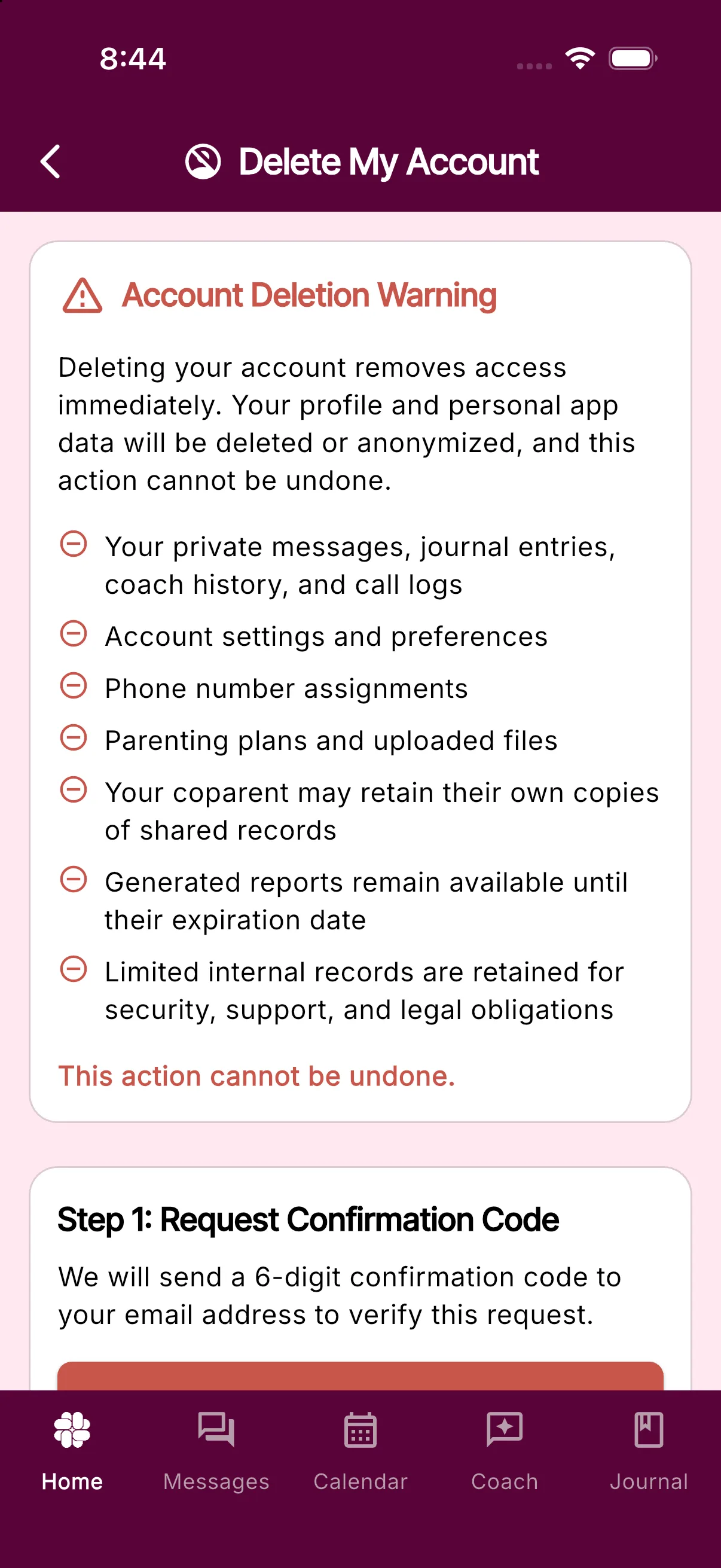
Deleting your account removes your access immediately. Your profile and personal app data will be deleted or anonymized, and the action cannot be undone.
Delete your account in the app
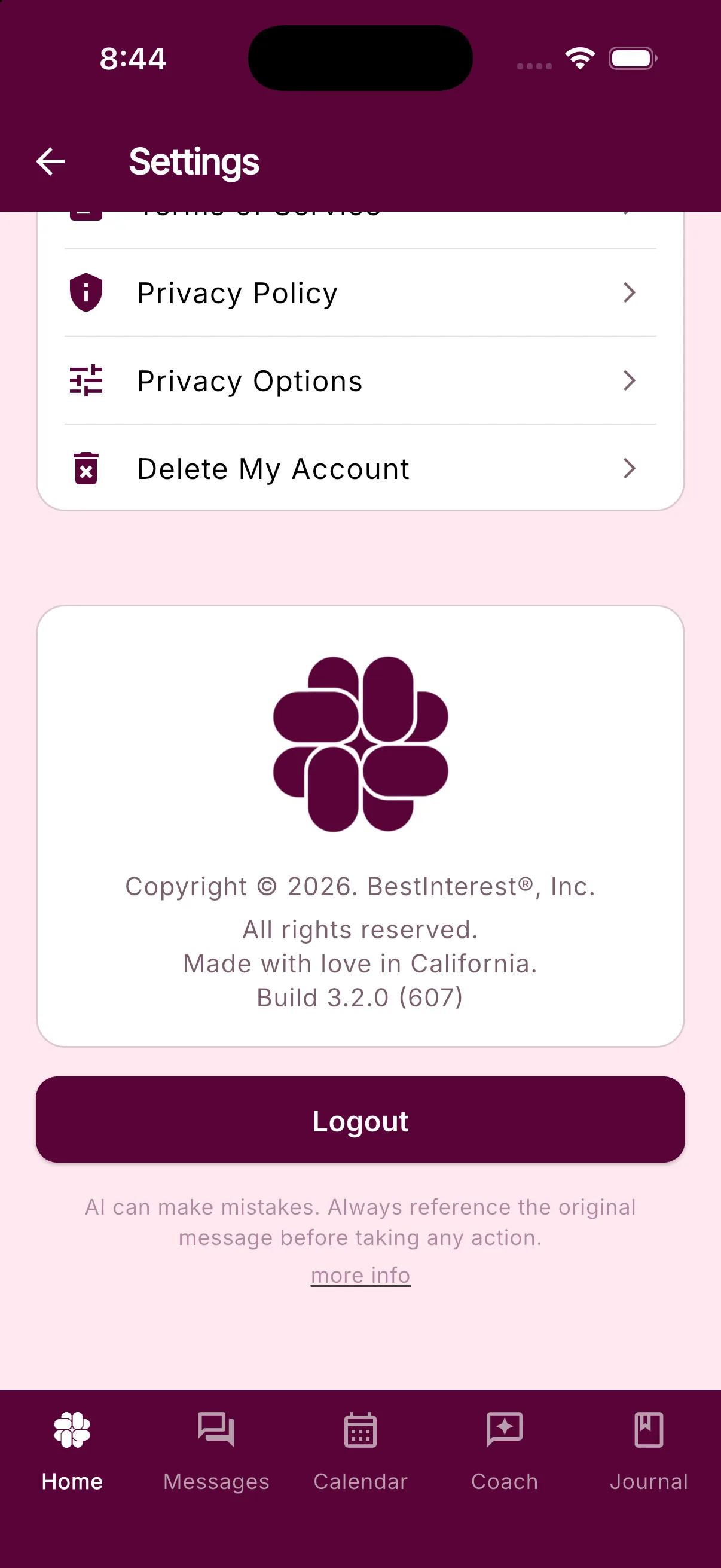
- On Home, scroll down and tap Settings.
- Scroll to the LEGAL section and tap Delete My Account.
- Tap Request Confirmation Code. BestInterest sends a 6-digit code to your account email address.
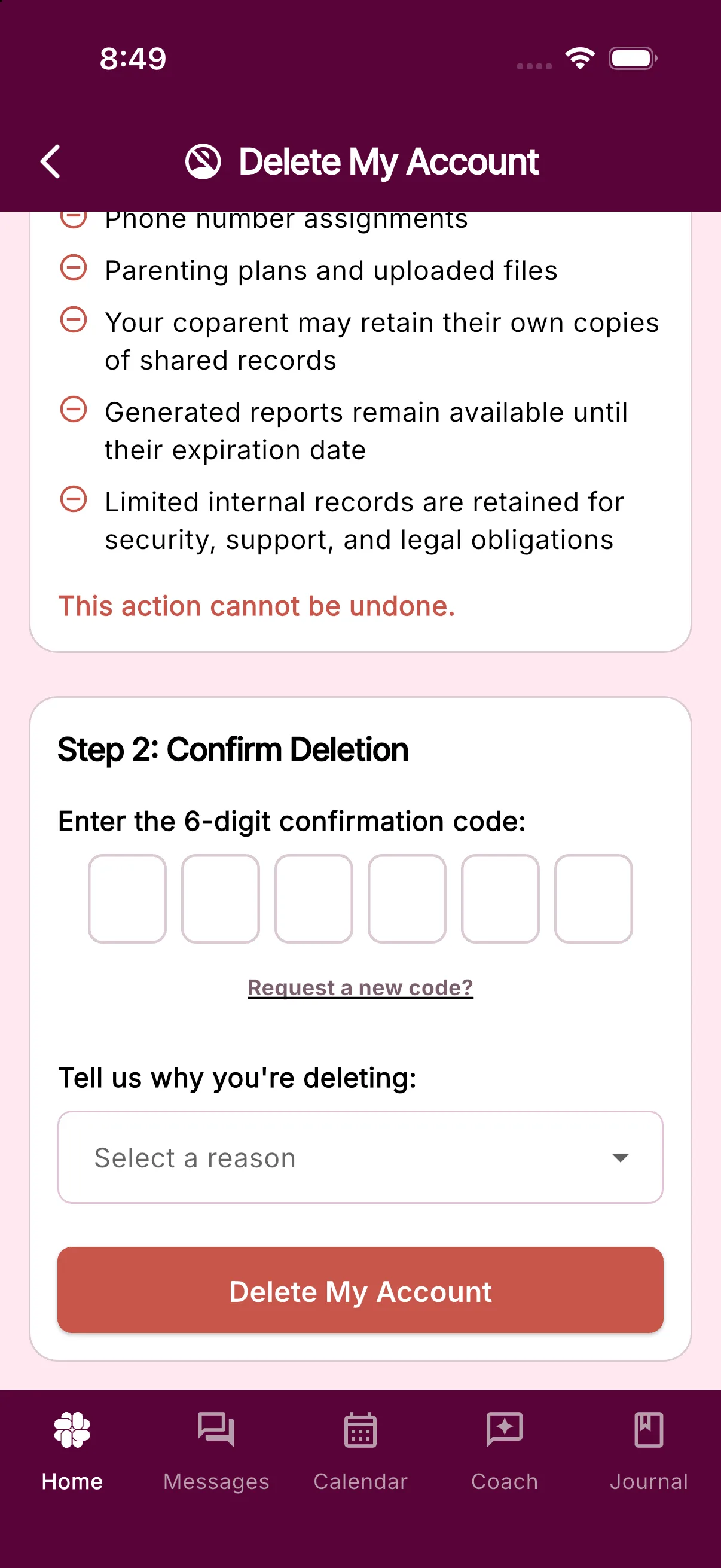
- Enter the code, choose a reason, and tap Delete My Account.
- Review the final confirmation and confirm the deletion.
What happens to your data
BestInterest deletes or anonymizes your profile and personal app data, including:
- Your private messages, journal entries, coach history, and call logs
- Account settings and preferences
- Phone number assignments, including your Boundary Line number
- Parenting plans and uploaded files
Some records can remain after your account is deleted:
- Your coparent may retain their own copies of shared records.
- Generated reports remain available until their expiration date.
- BestInterest retains limited internal records for security, support, and legal obligations.
- Accounts belonging to professionals or other support team members remain active.
Deleting your account does not cancel an Apple, Google Play, or RevenueCat Billing subscription. Cancel through the provider that billed you before deleting your account.
If you create a BestInterest account again later, you will need to set it up again. Your phone number and email address are not permanently blocked from creating a new account.
If you cannot use the app
If you cannot sign in or prefer to request deletion manually, fill out the account deletion form.
Was this helpful?
Still need help?
Contact Support