
Video Calling Options
BestInterest supports in-app audio and video calls between linked coparents in Collaborative Mode. The person placing the call needs Connect or higher. The recipient can answer on the Free plan, and incoming calls do not use their monthly minutes.
Allow calls
Each parent controls whether they can receive calls:
- Open Settings > Calling.
- Turn on Allow calls between me and my coparent.
- Under Call Boundaries, open Call Window if you want to choose the days and hours when you can be called.
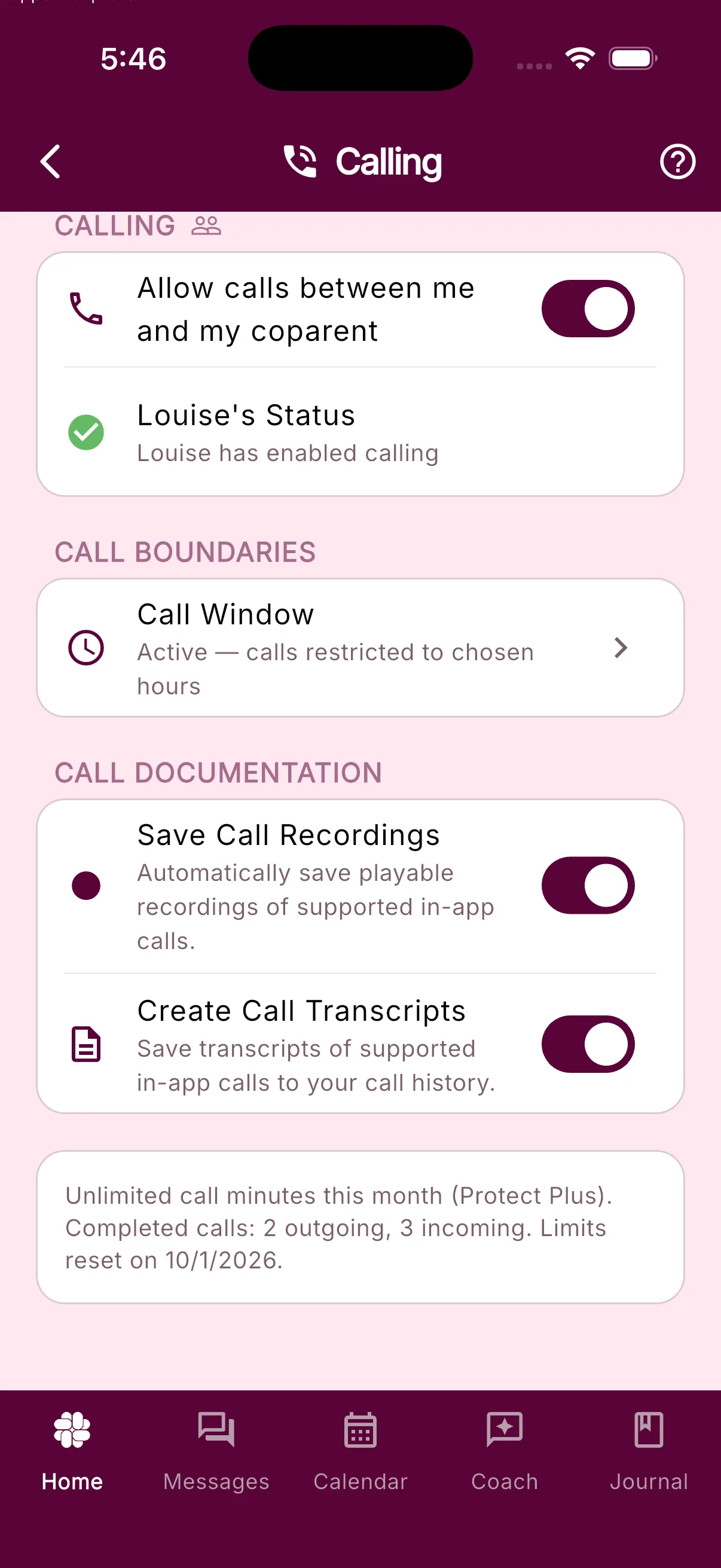
Calls outside the recipient’s Call Window do not ring. The caller sees that the recipient is unavailable and, when available, when the next window opens. Turn Allow calls between me and my coparent off to prevent incoming audio or video calls without affecting other BestInterest features.
Start a call
- On Home, tap More Tools > Calls. If Calls is already on your Home dashboard, tap it there.
- Tap Audio call or Video call.
Both parents must be linked in Collaborative Mode, and the recipient must have calling enabled. The caller also needs microphone permission for audio calls and microphone and camera permission for video calls.
Plan limits
Limits belong to the person placing the call. A paid plan does not add outgoing minutes to the other parent’s account.
| Subscription Plan | Outgoing Minutes | Per-Call Limit | Receiving Calls |
| Free | Receive only | N/A | Included |
| Connect | 45 minutes/month | 15 minutes | Included |
| Protect | 200 minutes/month | 60 minutes | Included |
| Protect Plus | Unlimited | Unlimited | Included |
Only outgoing calls count against the caller’s monthly allowance. For calls with a per-call limit, BestInterest shows Call will end in 60 seconds before the limit and ends the call automatically when the limit is reached.
Open Settings > Calling to see your remaining minutes, completed incoming and outgoing call counts, and reset date.
Recordings and transcripts
Protect Plus members can turn on two separate options under Settings > Calling > Call Documentation:
- Save Call Recordings automatically saves playable recordings of supported in-app calls.
- Create Call Transcripts saves transcripts of supported in-app calls to call history.
You must review and accept the consent notice before enabling either option. The caller’s Protect Plus plan and settings determine whether a call is recorded or transcribed.
Why opening words may be missing
Recording and transcription take a short time to start after a call connects. If you begin speaking immediately, the first few seconds may be missing from the recording or transcript. Startup time varies, so there is no fixed interval that guarantees every opening word is captured. Audio spoken before capture begins cannot be recovered later.
Calls connect without waiting for recording or transcription to start. If an opening detail is important to preserve, you can repeat it later in the conversation.
Call history
Open Calls to see incoming and outgoing audio and video calls. Each entry shows its status, date and time, and duration when available. Missed and declined calls remain in this history. For completed supported calls, recordings and transcripts appear in the call entry when processing finishes.
Recording availability
Saved Collaborative audio and video recordings are available for 365 days from the call date, including existing saved recordings. Both recorded participants can access a shared recording during that period. Download a copy before the expiry date shown in Calls if you want to keep it longer. Once expired, the recording is unavailable in the app and professional downloads; transcripts and call history keep their existing deletion rules. See Calling features for deletion and recovery details.
Was this helpful?
Still need help?
Contact Support