
Why wasn't a message delivered?
If you or your coparent did not receive a message, first check the status under the message and then follow the steps for your connection mode.
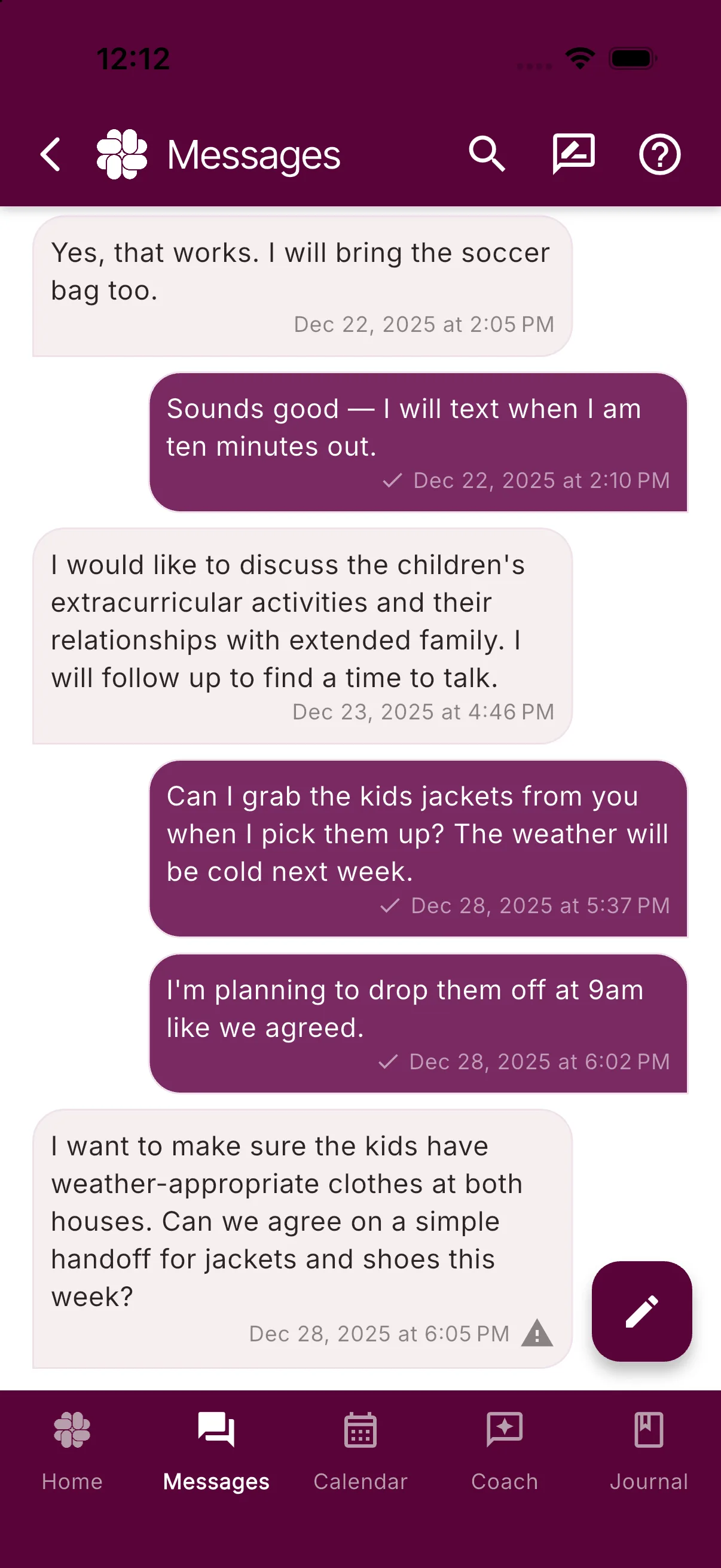
Check the message status
- Open Messages and find the message you sent.
- If it shows Sending, allow a few minutes for processing.
- If it shows Failed or Undelivered, complete the checks for your mode below, then try sending once more.
- Open the message and tap its underlined status if you need the timestamped Delivery History.
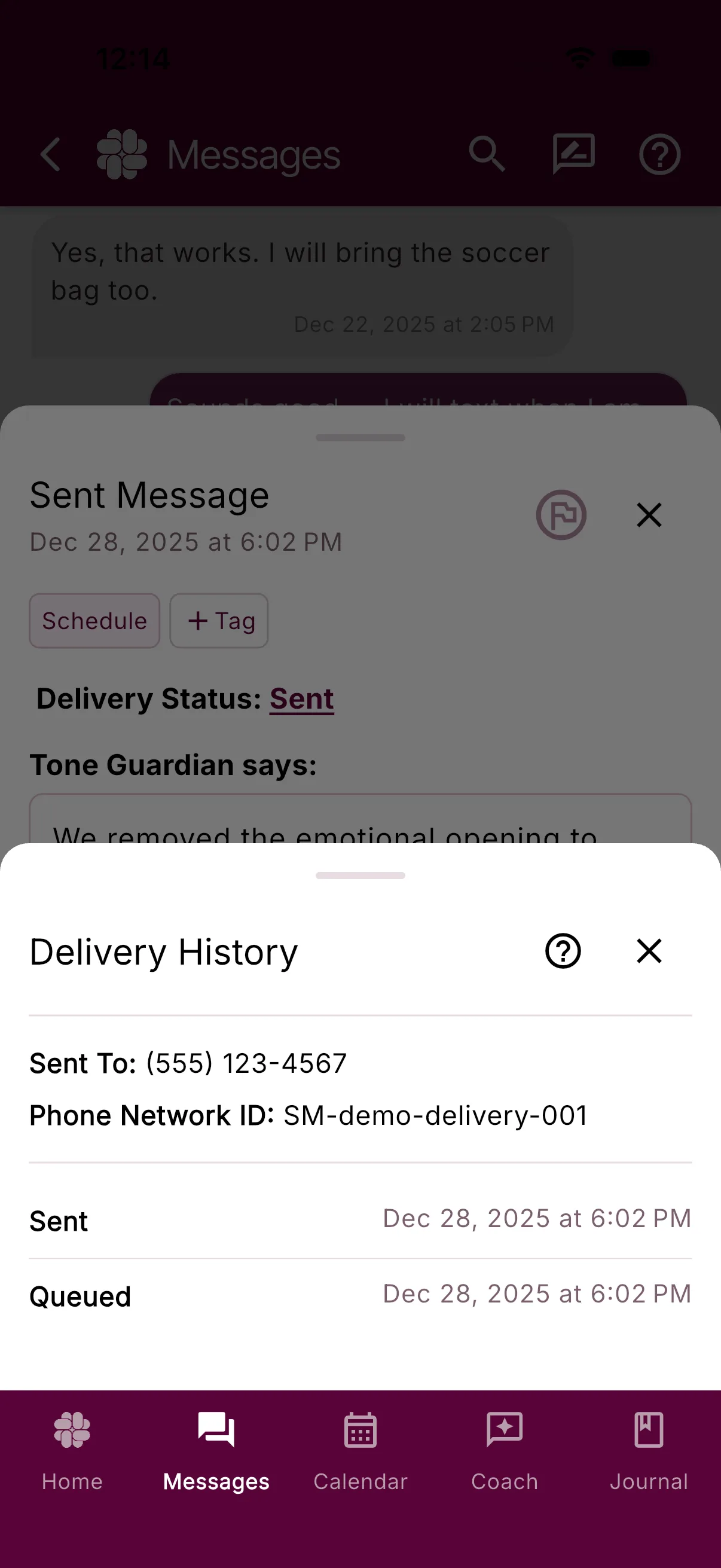
See Delivery Statuses for the meaning of Sending, Sent, Delivered, Read, Failed, and Undelivered.
Collaborative Mode checks
In Collaborative Mode, messages move between two connected BestInterest accounts.
- Open Settings > Coparent Connection and confirm that you are still connected to the intended coparent.
- Ask your coparent to sign in to the connected BestInterest account and check the conversation there.
- Confirm that both phones have internet access and the latest BestInterest update.
Solo Mode checks
In Solo Mode, Boundary Line routes SMS messages between your assigned BestInterest number and your coparent’s phone.
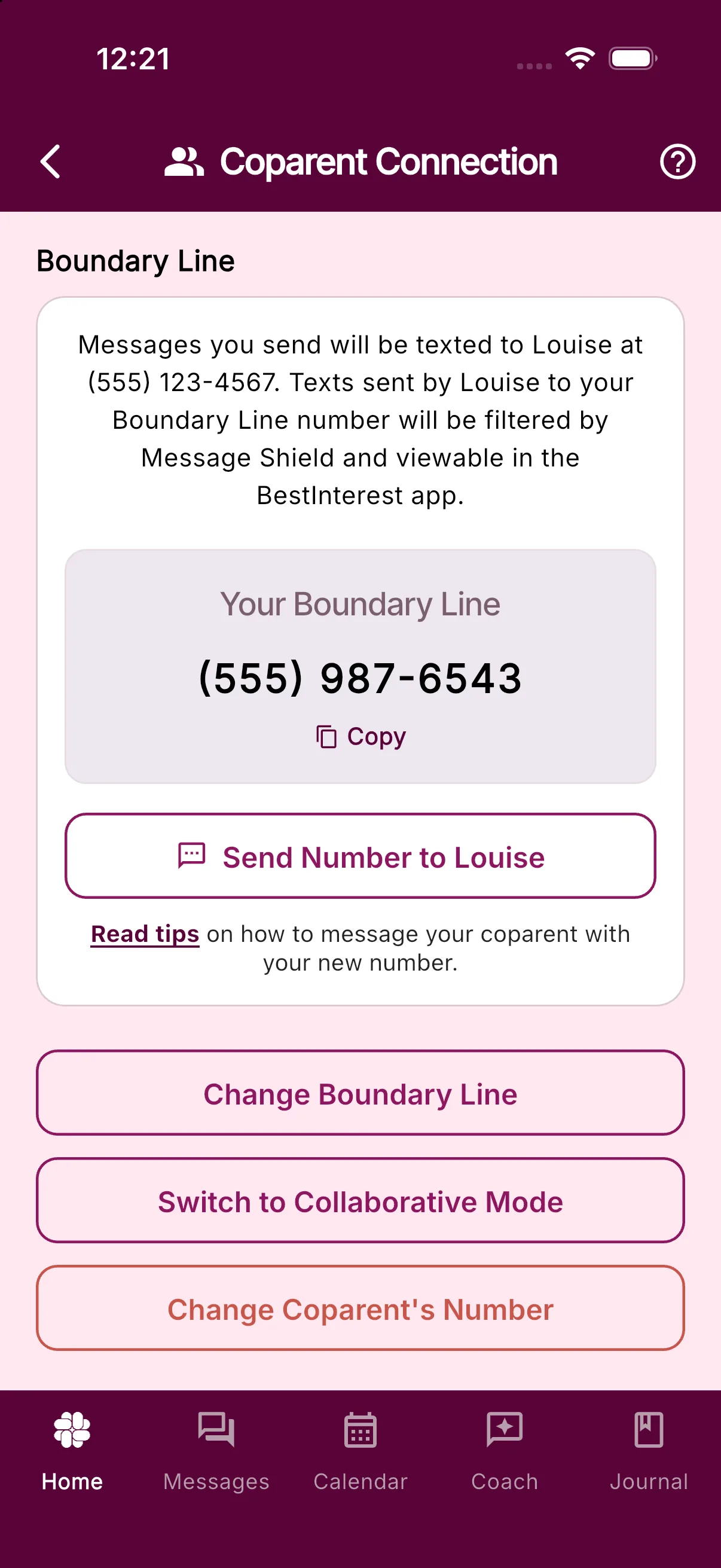
- Open Settings > Coparent Connection.
- Check your coparent’s phone number in the sentence near the top of the Solo Mode section.
- Check the number shown under Your Boundary Line. This is the number your coparent should text; they should not send the message to your personal number.
- Confirm that your coparent’s phone can send and receive normal SMS messages.
If your coparent opted out of texts
If your coparent replies STOP to the Boundary Line number, BestInterest blocks further texts to that phone and shows a warning in Messages and Coparent Connection. Your coparent must text START or UNSTOP to the same Boundary Line number from their configured phone to reopen the SMS channel.
If you did not receive your coparent’s message
Allow a few minutes for a temporary network or processing delay, then check the connected account or Boundary Line number as described above.
Message Shield can change the wording displayed in BestInterest, but BestInterest keeps the original message with the reviewed version. Filtering by itself should not remove the message record.
Still having trouble?
If the message is still missing or repeatedly shows Failed or Undelivered, contact support and include:
- Whether you use Solo Mode or Collaborative Mode
- Whether the missing message was incoming or outgoing
- The approximate date and time it was sent
- The status shown under the message
- Your app version and device type
For privacy, do not include the message text unless support specifically requests it.
Was this helpful?
Still need help?
Contact Support