
How do I use the app if my coparent doesn't want to use it?
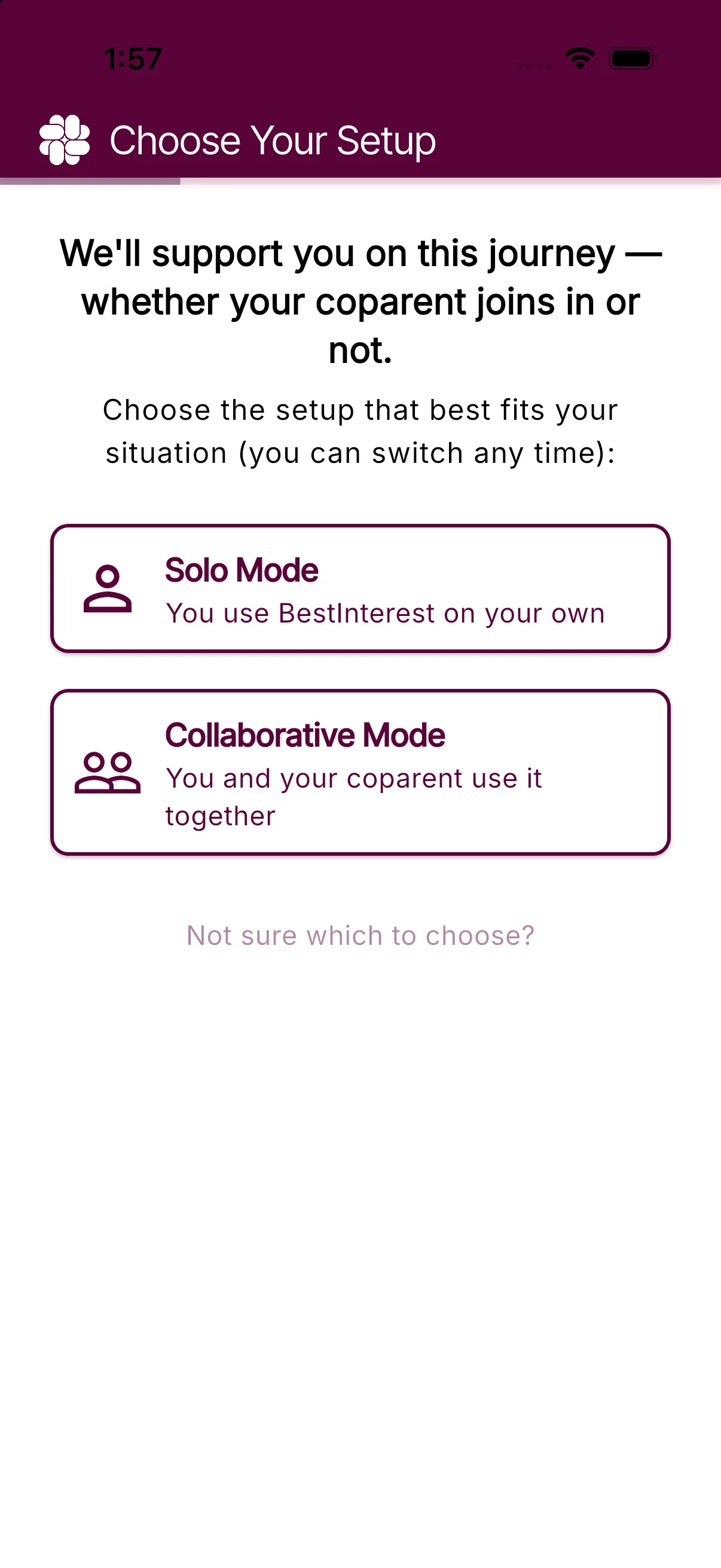
Your coparent does not need a BestInterest account for you to use the app. Choose Solo Mode to use BestInterest privately for coaching, documentation, and organization.
What you can do in Solo Mode
You can use the Coparent Coach, journal, calendar, expenses, tasks, and reports without connecting another account. Your coparent cannot see these private tools.
If you need to exchange messages while your coparent continues to use ordinary texting, add Boundary Line. BestInterest gives you a separate coparenting phone number:
- Your coparent texts that number from their usual messaging app.
- Their messages appear in BestInterest. On Protect plans and higher, Message Shield reviews and filters incoming text.
- Messages you send from BestInterest arrive on their phone as SMS messages.
- Calls and messages handled through Boundary Line stay documented in BestInterest.
Your coparent does not need to install BestInterest or create an account to communicate through Boundary Line.
Boundary Line requires Connect or higher. Message Shield filtering requires Protect or higher.
Set up Solo Mode and Boundary Line
- Download BestInterest and create your account.
- On Choose Your Setup, select Solo Mode.
- The Meet Boundary Line note explains that you can add protected SMS messaging later. Tap Sounds good to continue setup.
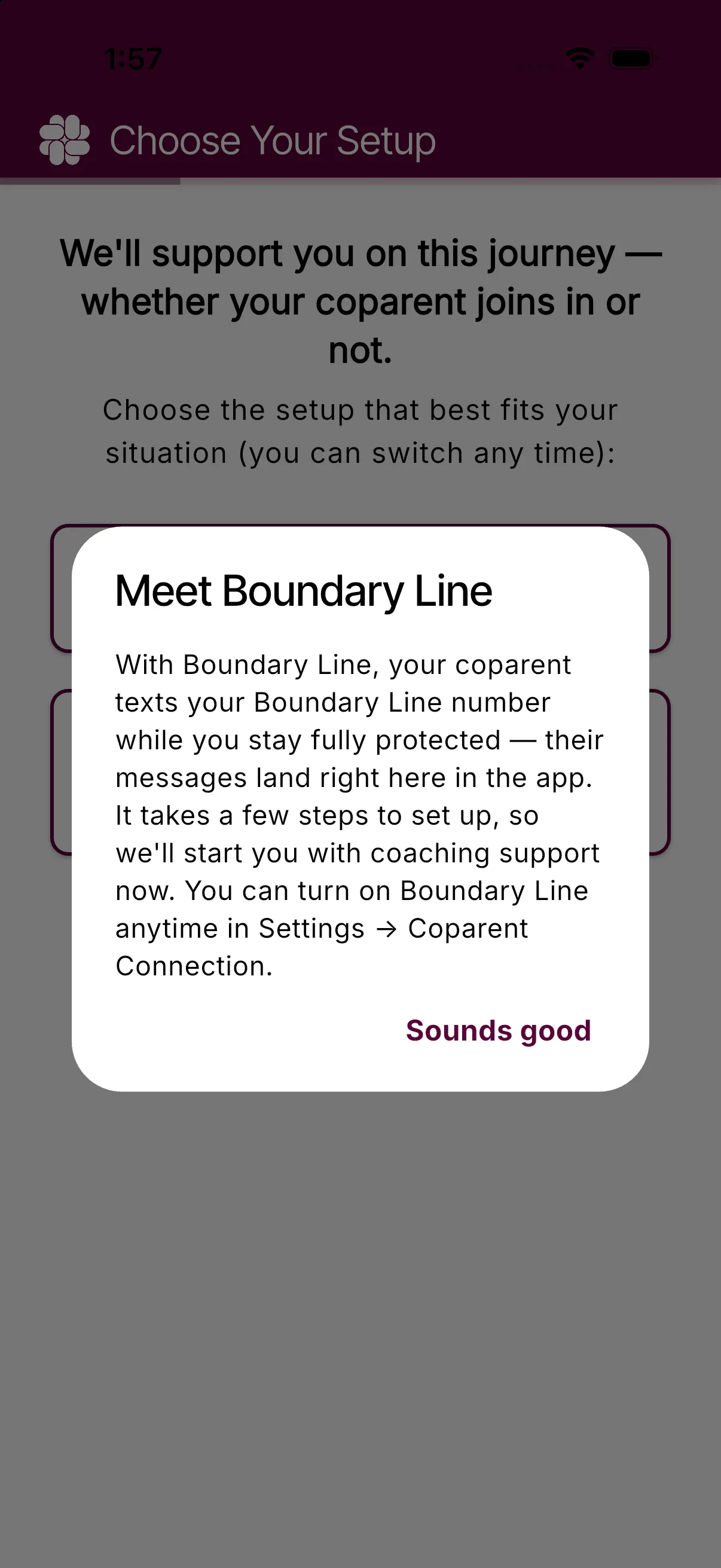
- When you are ready to add Boundary Line, open Settings > Coparent Connection.
- Enter your coparent’s phone number and tap Continue.
- If prompted, choose whether you prefer an available number near your area or your coparent’s area. BestInterest assigns the number automatically. If Get Boundary Line still appears, tap it and complete the plan upgrade if prompted.
- Share the assigned number shown under Your Boundary Line. Tap Send Number to {your coparent’s name} to text it to them.
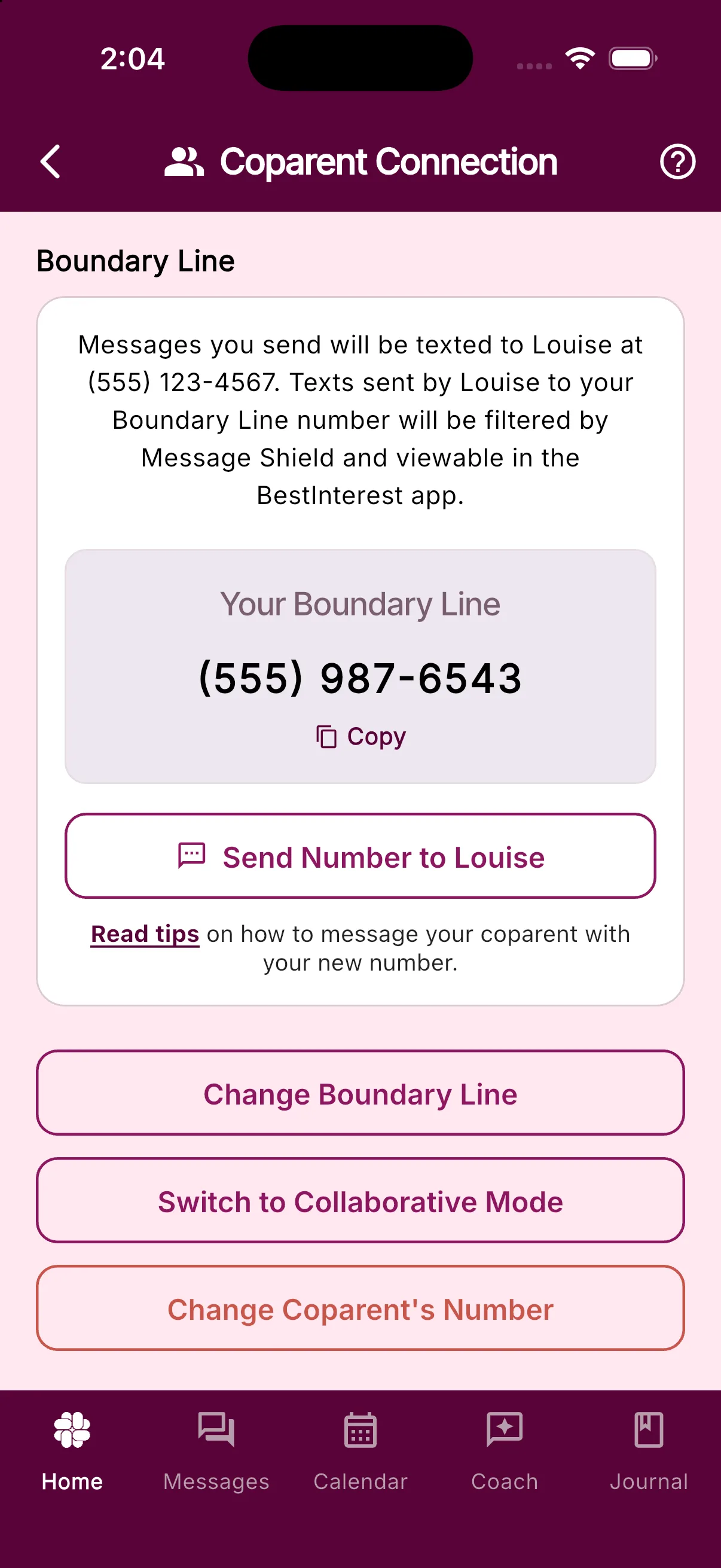
Ask your coparent to use your Boundary Line number instead of your personal number for coparenting texts and calls. You can find and share the number again at any time under Settings > Coparent Connection.
If your coparent decides to join later
You can switch to Collaborative Mode and connect your accounts from Settings > Coparent Connection. See How do I switch between Solo and Collaborative Mode? for what changes before you switch.
Was this helpful?
Still need help?
Contact Support