
How to invite my coparent
You can use BestInterest with your coparent in Collaborative Mode or independently in Solo Mode. If your coparent will not join the app, Boundary Line lets you exchange texts while you continue using BestInterest on your side.
Invite your coparent to Collaborative Mode
In Collaborative Mode, you and your coparent each use BestInterest. Your linked accounts can communicate in the app and use shared features.
To invite your coparent:
- Open Settings.
- Under Family Settings, tap Coparent Connection.
- Tap Switch to Collaborative Mode if that button appears.
- Tap Get My Invite Code.
- Copy the code and share it with your coparent. If their phone number is already on file, you can tap Text invite instead.
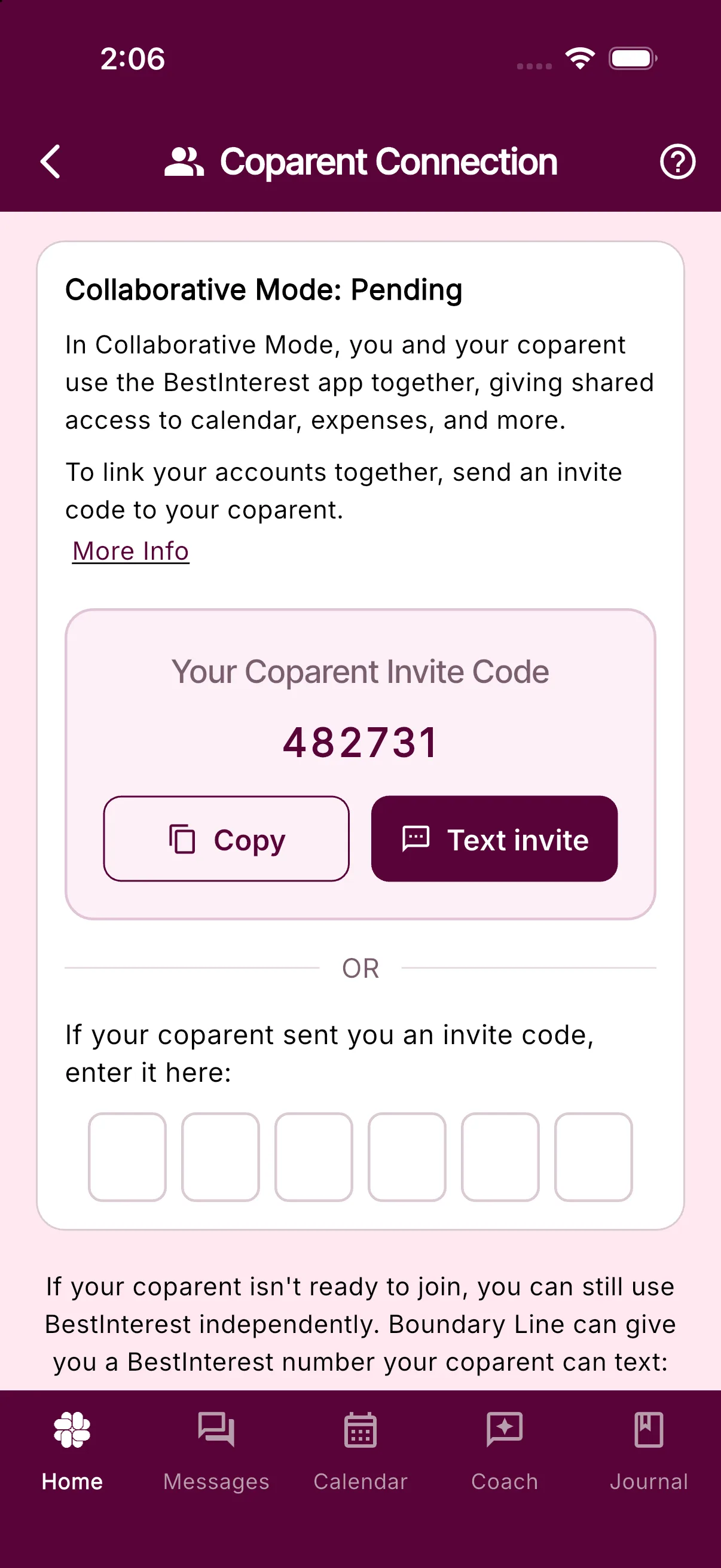
Your coparent can enter the code on the Coparent Connection step while setting up their account. If they have already finished setup, they can open Settings > Coparent Connection and enter it in the field at the bottom of the screen.
If your coparent sent you an invite code, enter their code in that same field instead of generating your own. Linking the code connects your accounts.
Use Solo Mode without your coparent
Solo Mode lets you use private features such as Coparent Coach, the journal, calendar, expenses, tasks, and reports without linking another account.
You do not need to invite your coparent to use these features. If you do not need to exchange messages through BestInterest, no additional setup is required.
Set up Boundary Line in Solo Mode
Boundary Line gives you a BestInterest phone number for communication with a coparent who continues using ordinary SMS. Their texts to that number appear in BestInterest, and messages you send from BestInterest arrive as texts on their phone.
Boundary Line requires Connect or higher. Message Shield filtering for incoming texts is available on Protect and higher.
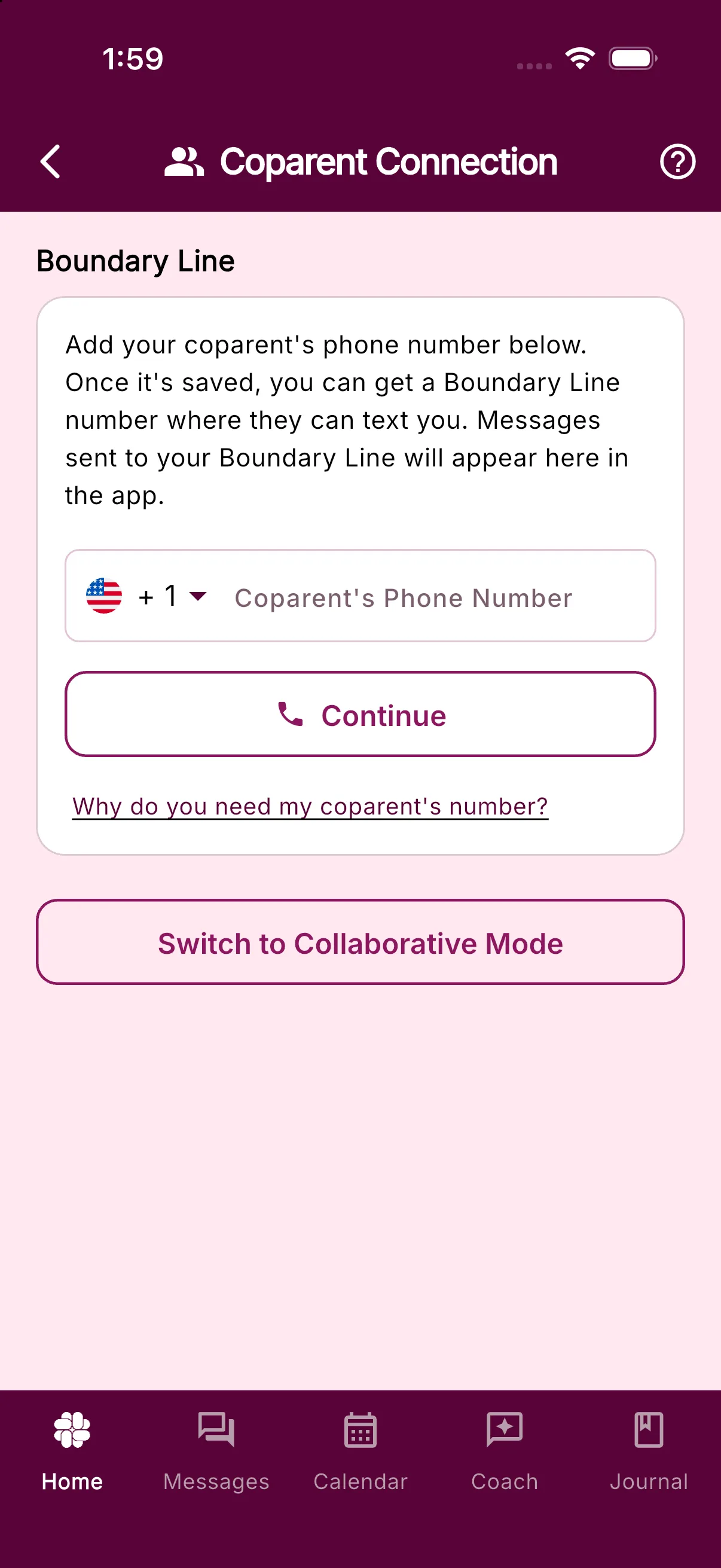
To set it up:
- Open Settings.
- Under Family Settings, tap Coparent Connection.
- Tap Switch to Solo Mode if that button appears.
- Enter your coparent’s phone number and tap Continue.
- If prompted, choose whether you prefer an available number near your area or your coparent’s area. BestInterest assigns the number automatically. If Get Boundary Line still appears, tap it and complete the plan upgrade if prompted.
- The assigned number appears under Your Boundary Line. Tap Send Number to {your coparent’s name} to text it to your coparent, or copy the number and share it yourself.
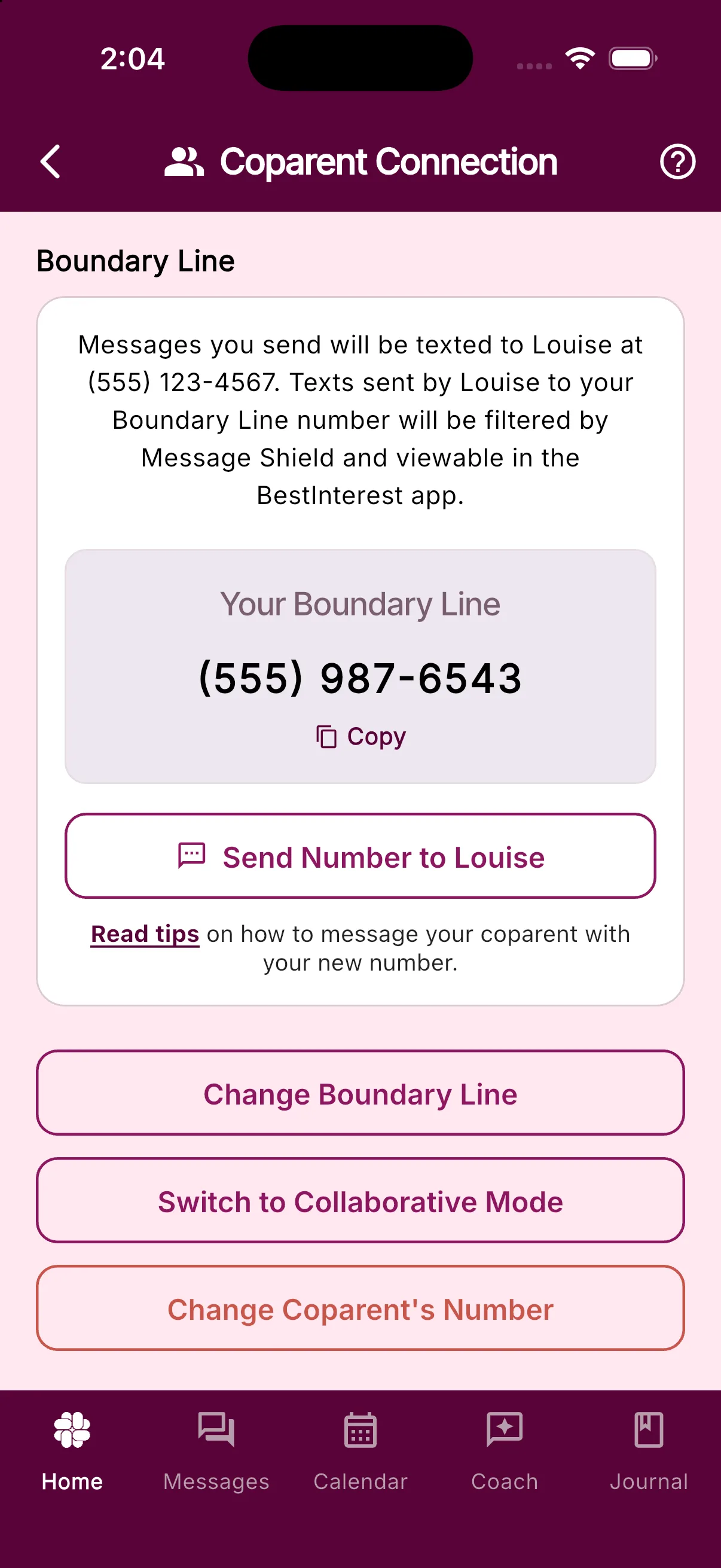
You can return to Settings > Coparent Connection at any time to view or copy your Boundary Line number.
Was this helpful?
Still need help?
Contact Support