
Share the parenting work. Keep your own space.
Collaborative Mode gives both parents one secure BestInterest space for messages, schedules, tasks, expenses, and the details you both need. Keep the practical work clearer, reduce the back-and-forth, and give more of your attention back to your kids and the rest of your life.
Shared messages, calendar, tasks, expenses, and basic coaching are included on Free. Each parent creates their own account.
From a real co-parent
“Using BestInterest with my ex has been amazing. We are not perfect, but we argue way less, and the advice from the Coparent Coach is honestly the best part. It keeps us focused on our parenting goals.”
Less scattered coordination
Stop rebuilding the same story across messages, memory, and separate apps.
The relationship may still be complicated. The practical work does not have to be. Collaborative Mode gives both parents one clearer place to see what was said, what is scheduled, and what needs attention next.
Put the conversation somewhere steadier
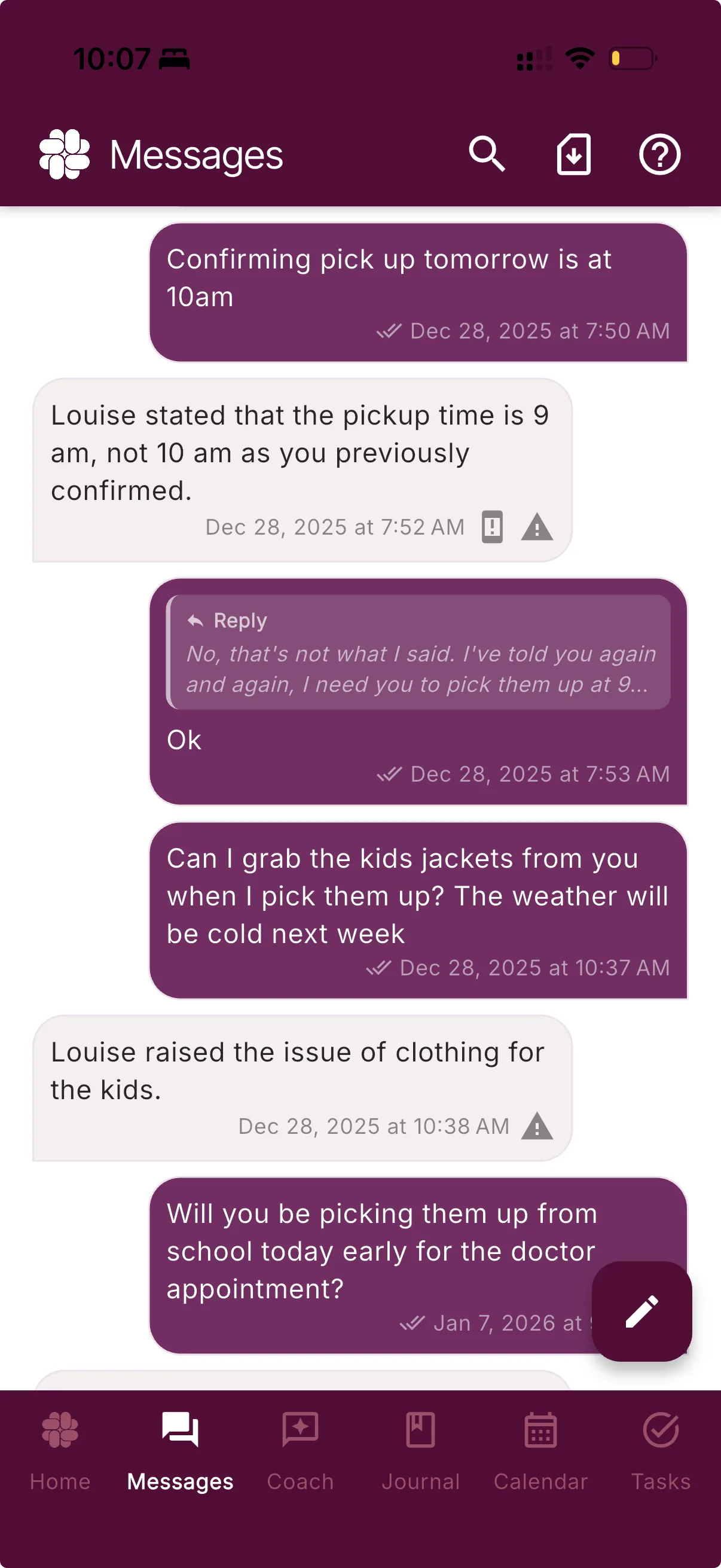
Send direct in-app messages instead of carrying the exchange across texts, email, and screenshots. Each parent keeps the shared message record available in their own account.
Give the logistics one shared home
Keep parenting time, events, tasks, and expense activity beside the conversations that move them forward.
Keep your own boundaries
Each parent has a separate login, subscription, private tools, and personal protection settings. Sharing a family space does not mean sharing an account.
Shared where it helps · Private where it matters
Share what moves the family forward. Keep the rest yours.
Collaborative Mode links two accounts; it does not merge them. Sent communication and family logistics can stay visible to both parents while personal reflection, coaching, and settings remain separate.
That boundary makes the shared space useful without turning every part of BestInterest into a group activity.
Both parents can see
Shared family activity
- Sent messages and attachments
- Family Profile and custody context
- Shared calendar, tasks, and expense activity
- Message read timestamps and linked names
- Documents you intentionally share
Only you can see
Your private workspace
- Coparent Coach activity
- Journal entries and unsent drafts
- Tasks you mark private
- Personal protection and notification settings
The shared essentials
One place for the conversation and the logistics around it.
Collaborative Mode brings the recurring work of coparenting into a shared system, so the next step is easier to find without restarting the discussion.
Messages
Keep the exchange in the app
Send messages and attachments through one shared channel with timestamps and delivery information.
Calendar
See the same schedule
Bring parenting time, exchanges, appointments, and child-related events into one family view.
Tasks
Make responsibility visible
Create shared tasks, assign them when useful, and keep the current status out of a long message thread.
Expenses
Keep costs with their context
Track shared expenses, reimbursement requests, and status in a structured ledger both parents can review.
One invite code · Two accounts
Connect the space without sharing a login.
Choose Collaborative Mode during setup or from Coparent Connection. One parent sends an invite code; the other enters it while signed in to their own account.
Once the code is confirmed, both accounts connect to the shared family space. Each parent still signs in, chooses settings, and manages their own plan separately.
Collaborative Mode
One shared family spaceMessages · Calendar · Tasks · ExpensesA shared space that respects individual needs
Use the same app. Choose your own level of protection.
Collaborative Mode does not require both parents to buy the same plan. The shared essentials stay available on Free, while paid protection follows the account that chooses it.
Free
Start with the shared essentials
Both parents can use core messaging, calendar, tasks, expenses, and basic Coparent Coach support without a paid plan.
Protect & Protect Plus
Add support around your side of the exchange
Message Shield, Tone Guardian, and Smart Silence follow the subscribed parent’s settings. One parent can upgrade without requiring the other to do the same.
Separate accounts
Choose what fits you
Each parent manages their own login and plan. An active Family Subscription can cover both linked accounts when one is already in place.
Questions, answered
Collaborative Mode FAQ
What is Collaborative Mode in BestInterest?
Collaborative Mode links two separate BestInterest accounts so both parents can use shared messaging, calendars, tasks, expenses, and other coordination tools inside the app.
Does my coparent need a paid plan?
No. Both parents can use Collaborative Mode's shared essentials on Free. A parent can add Protect or Protect Plus to their own account for Message Shield, Tone Guardian, Smart Silence, and other paid features without requiring the other parent to upgrade. An active Family Subscription can cover both linked accounts.
What information is shared in Collaborative Mode?
Sent messages and attachments, Family Profile and custody context, shared calendar information, shared tasks, shared expense activity, documents you intentionally share, message read timestamps, and the first and last name used to link the accounts are visible to both linked parents. Both parents keep access to the shared records available in their accounts.
What stays private in Collaborative Mode?
Coparent Coach activity, journal entries, unsent drafts, private tasks, personal settings, and per-account protection controls stay private to the account that created them.
How do we connect our accounts?
Choose Collaborative Mode during setup or from Settings > Coparent Connection. One parent generates an invite code and the other enters it while signed in to their own BestInterest account. The accounts link after the code is confirmed.
Can I switch from Collaborative Mode to Solo Mode later?
Yes. You can switch from Settings > Coparent Connection. Switching to Solo Mode removes the linked coparent connection but does not automatically change or cancel your subscription.
What if my coparent will not join BestInterest?
Use Solo Mode to keep coaching, organization, and records private on your own. If you still need to exchange texts or supported calls, Boundary Line is available on Connect and higher plans.
A clearer way to handle what is shared