
How to Adjust Tone Guardian Settings
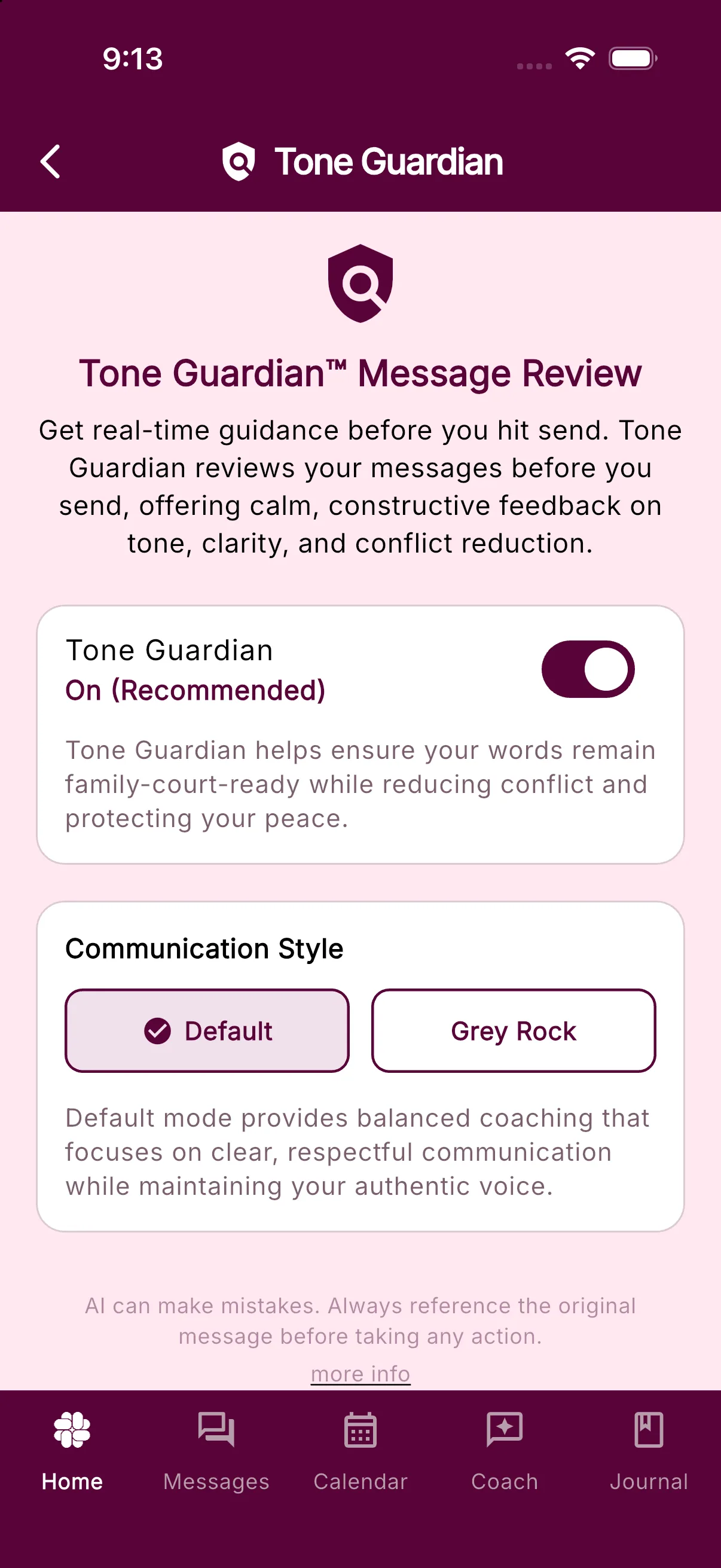
Tone Guardian reviews messages before you send them and suggests ways to make the wording clear, respectful, and focused on the children. You decide whether to use its suggestion, edit your draft, or send your own wording.
Tone Guardian is included with Protect and Protect Plus.
Open Tone Guardian settings
Open Settings > Tone Guardian.
Your coparent cannot see your drafts, Tone Guardian feedback, or proposed rewrites. Only the final message you choose to send is shared. Learn more about message draft privacy.
Turn Tone Guardian on or off
Use the Tone Guardian switch at the top of the screen.
To turn it off, switch Tone Guardian to Off and confirm Turn off Tone Guardian?. Your messages are then sent as soon as you tap send, without a tone review.
Turn it back on when you want suggestions before sending.
Choose a communication style
While Tone Guardian is on, the Communication Style card offers two choices:
- Default provides balanced coaching for clear, respectful communication while keeping your own voice.
- Grey Rock prioritizes minimal engagement by encouraging replies only when necessary and keeping them brief and emotionless.
Tone Guardian can also learn from the feedback you give on its suggestions, so its future guidance better reflects your preferences.
Learn more about Tone Guardian.
Was this helpful?
Still need help?
Contact Support