
Start creating more peace—without waiting for cooperation.
Solo Mode gives you a private BestInterest space for coaching, journaling, schedules, expenses, tasks, and organized records—even if your coparent never joins. Start free, use what helps, and switch modes later if your situation changes.
Solo Mode is included on every plan. Boundary Line starts on Connect.
Quick answer
Can I use a co-parenting app if my ex won't join?
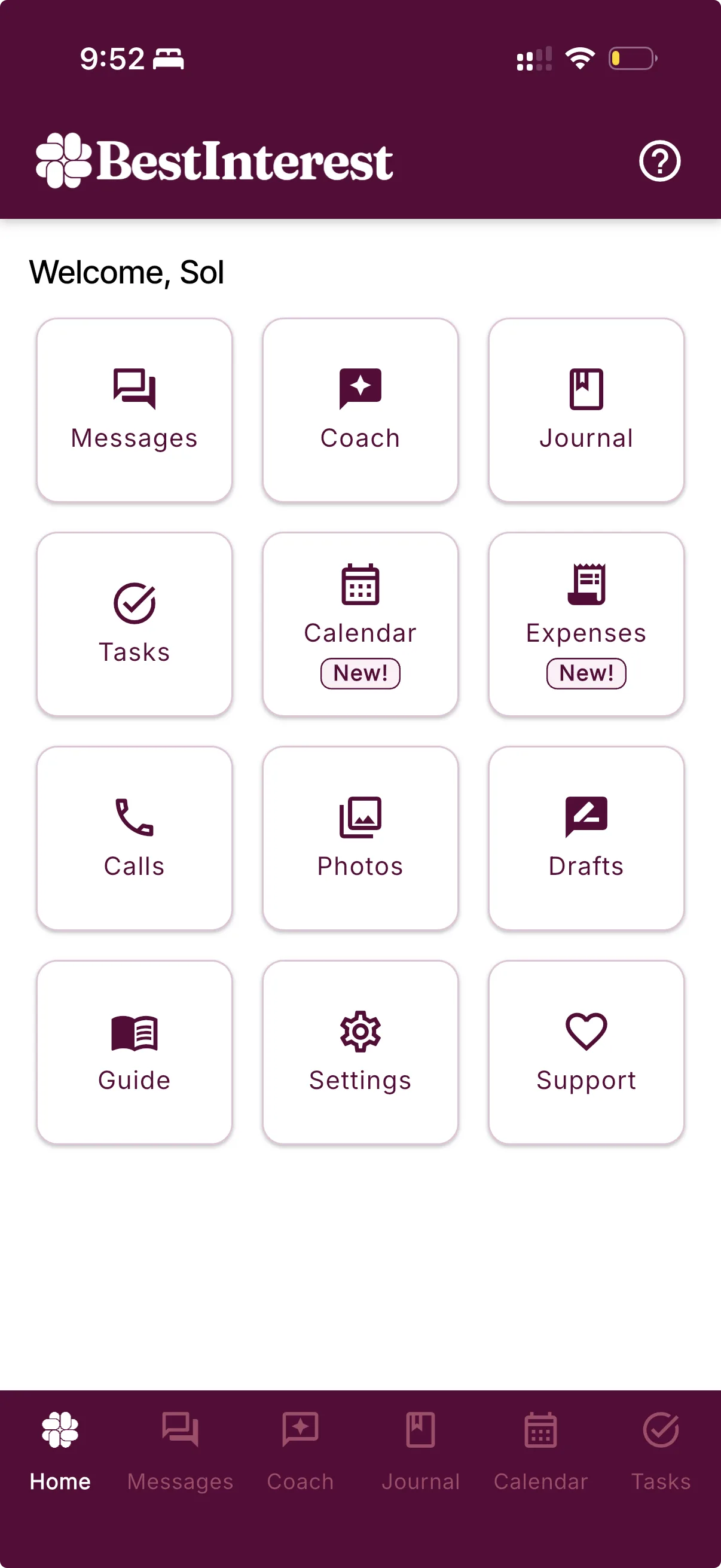
Yes. BestInterest's Solo Mode lets you use private tools on your own — including the journal, calendar, expense tracking, tasks, and AI Coach — without an invite or linked co-parent account. If you need to message them, Boundary Line on Connect or higher lets your co-parent text or call a BestInterest number from their regular phone.
From a real co-parent
“I have been using this app for only two weeks, and even though my co-parent refuses to use it, I have been able to use the message review, notepad, learning, and coaching features. It has dramatically improved my ability to communicate with her in a more respectful and effective manner. It’s given me hope that we might be better co-parents for our children, and also the courage to set firm boundaries. I only wish I had discovered this app years ago. It could have saved so much heartache and pain.”
Begin on your own terms
One parent can still create structure.
Most coparenting tools begin with shared participation. Solo Mode begins with what you can control: your next step, your records, and the system you build around them.
Start now
Choose Solo Mode during setup and begin without an invite, a linked account, or your coparent’s participation.
Keep your own calm system
Bring coaching, journaling, schedules, tasks, expenses, and supported records into one private workspace.
Change course later
Stay solo, add Boundary Line for communication, or switch to Collaborative Mode if joining the app together becomes right for you.
A full private toolkit
Support for the work you are already doing.
Coparenting still involves decisions, dates, expenses, and difficult moments even when only one parent uses the app. Solo Mode gives that work one steady place to land.
Use the tools that help today. The rest will be there when you need them.
Coach
Think through the next step
Get private, on-demand guidance for a message, decision, or difficult coparenting moment.Journal
Capture context while it is fresh
Keep notes, events, and supporting details together in a private, timestamped journal.Calendar
See what comes next
Track schedules and important dates without waiting for a shared calendar to take shape.Tasks & expenses
Keep logistics in view
Organize the practical work and costs that can otherwise disappear into scattered notes and receipts.Exports & reports
Turn supported records into order
Export supported data on Free, or add structured Verified Reports with Connect and higher plans.Add a communication bridge
Message your coparent—even if they refuse to use an app.
Boundary Line is an optional add-on to Solo Mode. Your coparent keeps using ordinary texts and calls, while you keep using BestInterest.
For you
BestInterest
Use your private Solo Mode workspace and add a dedicated number when you want to communicate.For your coparent
Their phone
No BestInterest account. No app to download. They keep using ordinary texts and supported calls.From a real co-parent
“I found BestInterest when I was desperate to protect myself. I love BestInterest for Message Shield and Solo Mode—to be able to export. I truly tell everyone it’s worth it, so worth it. Our mediator also said what a great app it is.”
Protection that can grow with you
Start free. Add more support if it fits.
Solo Mode is not a trial version of working alone. The Free plan gives you a useful private toolkit with no requirement that another parent participate.
Paid plans add communication, reports, and protection around higher-conflict exchanges. You choose whether those layers belong in your system.
Free
A real starting point
Use core Solo Mode tools and three Coparent Coach sessions each day without an expiring free-plan deadline.Connect
Add a communication bridge
Add Boundary Line, more daily coaching, uploads, and up to 10 Verified Reports each month with an optional Certificate of Authenticity.Protect & Protect Plus
Put more support around conflict
Add unlimited coaching and reports, plus Message Shield, Tone Guardian, Smart Silence, and expanded calling options.Questions, answered
Solo Mode FAQ
What is Solo Mode in BestInterest?
Solo Mode lets one parent use BestInterest without a linked coparent account. You can use Coparent Coach, the private journal, calendar, tasks, expenses, and supported exports on your own.
Does my coparent have to sign up?
No. You can choose Solo Mode during setup and begin using BestInterest without sending an invite or linking another account.
What is included with free Solo Mode?
The Free plan includes core Solo Mode tools such as the journal, calendar, tasks, expenses, supported CSV exports, and three Coparent Coach sessions each day. Paid plans add features such as Boundary Line, Verified Reports, and expanded protection.
Can I message my coparent from Solo Mode?
Yes, if you add Boundary Line on Connect or a higher plan. Boundary Line gives you a dedicated BestInterest number; your coparent uses ordinary texts and supported phone calls without creating an account or downloading the app.
Is Solo Mode private?
Your Solo Mode Coach activity, journal, calendar, expenses, and tasks are not shared with a linked coparent because there is no linked coparent account. If you add Boundary Line, the texts and calls exchanged through that number are communication with your coparent.
Can I switch from Solo Mode to Collaborative Mode later?
Yes. You can switch modes from Coparent Connection. Moving to Collaborative Mode requires linking accounts with an invite code; switching modes is separate from changing your subscription.
How is Solo Mode different from Boundary Line?
Solo Mode is the way you use BestInterest independently for coaching, organization, and documentation. Boundary Line is an optional Connect feature that adds a dedicated number for exchanging texts and supported phone calls with a coparent who does not use the app.
Your next step does not require their first step