Using Magic Tags™ and Manual Tags
Tags help you organize messages and private journal entries by topic. You can create your own tags, and on Protect and Protect Plus, Magic Tags™ can add relevant topic tags automatically to eligible analyzed messages and new journal entries.
Looking for the feature overview? See how Magic Tags work across BestInterest.
Three Kinds of Labels
- Magic Tags: Private topic labels that BestInterest adds automatically, such as scheduling, transportation, school, or expenses.
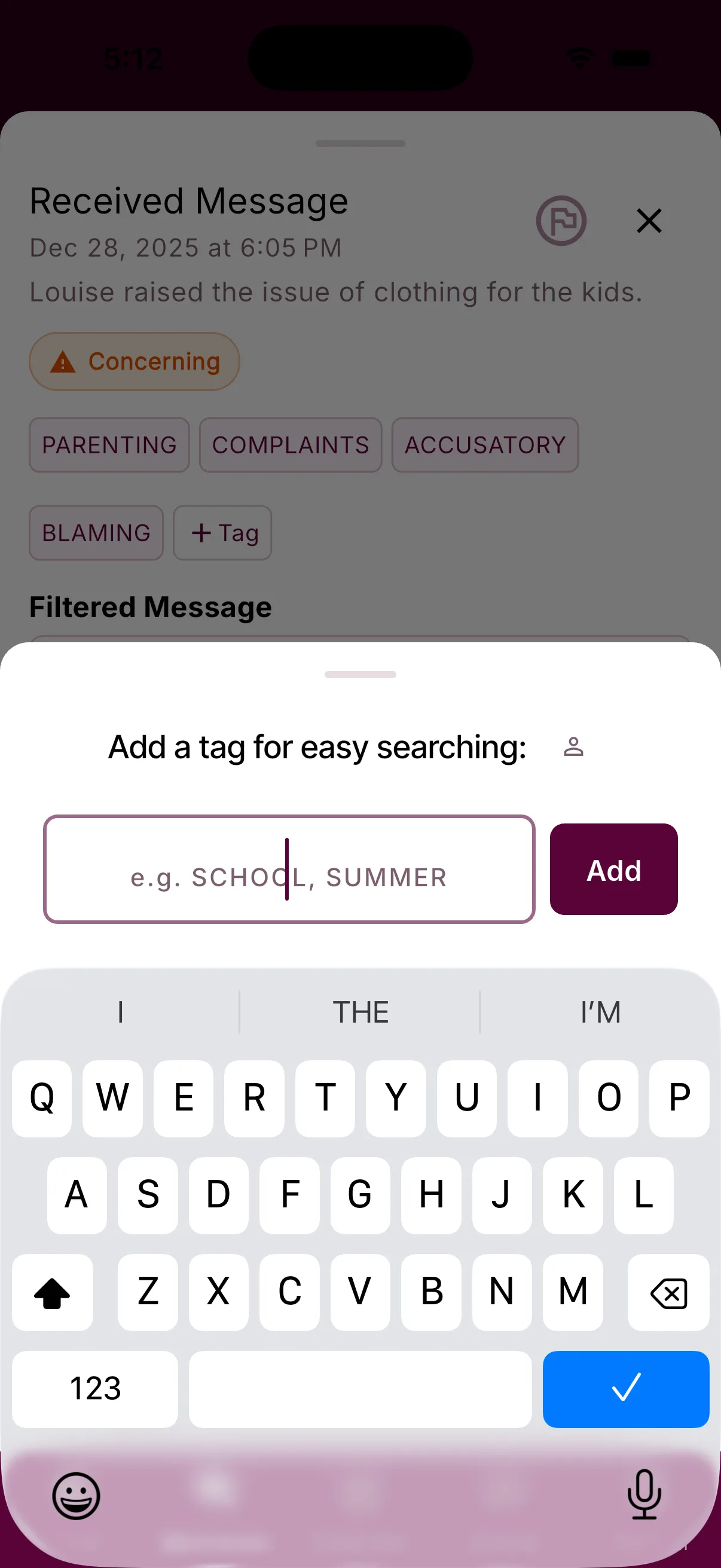
- Manual tags: Private labels you create and manage yourself.
- Special classifications: System-managed labels from Message Shield, such as Urgent or Concerning. These reflect how BestInterest interpreted a message and cannot be added or removed manually.
How to Use Tags
- Add a manual tag: Tap the + icon next to a supported message or journal entry.
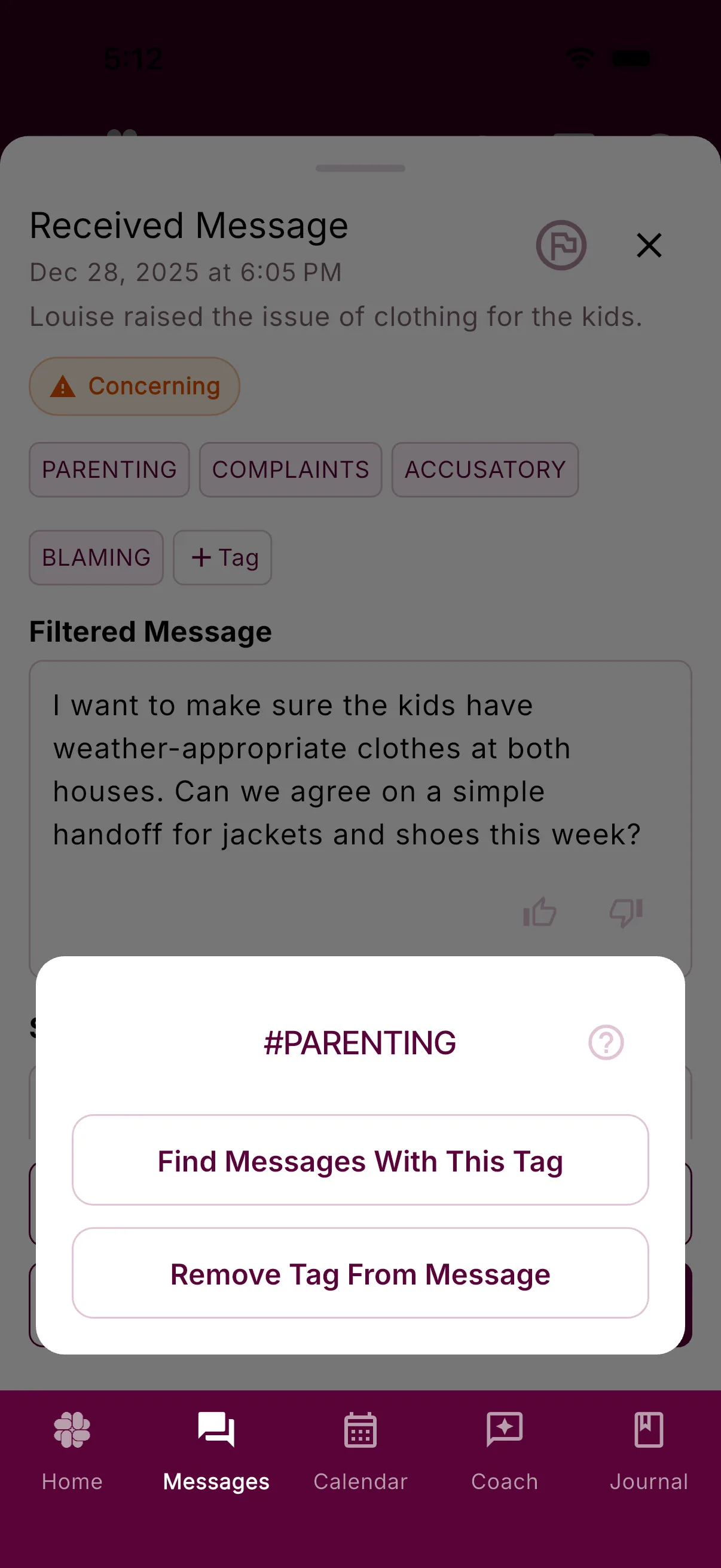
- Remove an ordinary tag: Tap and hold the tag, then choose the option to remove it.
- Search by tag: Tap the search icon to find messages or entries with a specific tag. Search availability depends on the surface and your plan. Learn more about search.
Are Tags Private?
Yes. Tags are private to your account. Your co-parent does not see them, even when a tag is attached to a message you both can read. Tags do not appear in printed or exported reports.
What Tags Should I Use?
You can create any tags you like — for example:
Topics: School, Finances, Court, Handoffs
Tone: Aggressive, Lying, Neutral, Positive
Using consistent names can make related details easier to find later. You can separate multi-word ideas with dashes.
What About Special Tags?
Some labels are added automatically by Message Shield. These special classifications cannot be added or removed manually. They are separate from Magic Tags, even when both appear near a message.
CONCERNING
Appears when Message Shield identified content it was configured to filter or restate. This can include hostility, baiting, personal attacks, coercive pressure, threats, or content that appears unrelated to the child.
Tip: Pause before responding and keep communication factual and calm.
THREAT
Marks a message that includes a direct or implied threat of violence, physical harm, or physical confrontation. Threat messages are styled distinctly in the message list so they are easy to notice.
LEGAL-THREAT
Marks threats involving court, lawyers, police, documentation, custody action, or third-party enforcement. These are tracked separately from physical threats.
EMOTIONAL
Marks emotional content that Message Shield softened, removed, or depersonalized in a neutral restatement. This classification is not shown as a message-list icon.
INFLAMMATORY
Marks content that appears designed to provoke, shame, bait, or escalate conflict.
COERCIVE-CONTROL
Marks pressure, intimidation, surveillance, isolation, leverage, or attempts to control access, time, or information.
URGENT
Flags messages the system estimates may require immediate attention, such as likely emergencies or last-minute schedule changes.
Urgent classifications can bypass delayed notifications, subject to your device and notification settings.
You can also choose to only receive notifications for urgent or emergency messages in your settings.
SYSTEM
Marks automated system-generated notifications, such as missed calls or app updates.
System tags are informational only and don’t require a response.
Keep AI Labels in Perspective
Magic Tags and special classifications can miss context, choose an unhelpful label, or overlook a useful one. Review the underlying message or journal entry when accuracy matters. Read the full AI disclaimer.
For the product overview, plan availability, and more examples, visit the Magic Tags feature page.
Was this helpful?
Still need help?
Contact Support