
Why isn't my coparent invite code working?
If BestInterest cannot generate an invite code or says it could not link your coparent, check the code, connection, and account state before trying again.
Use the Coparent Invite Code
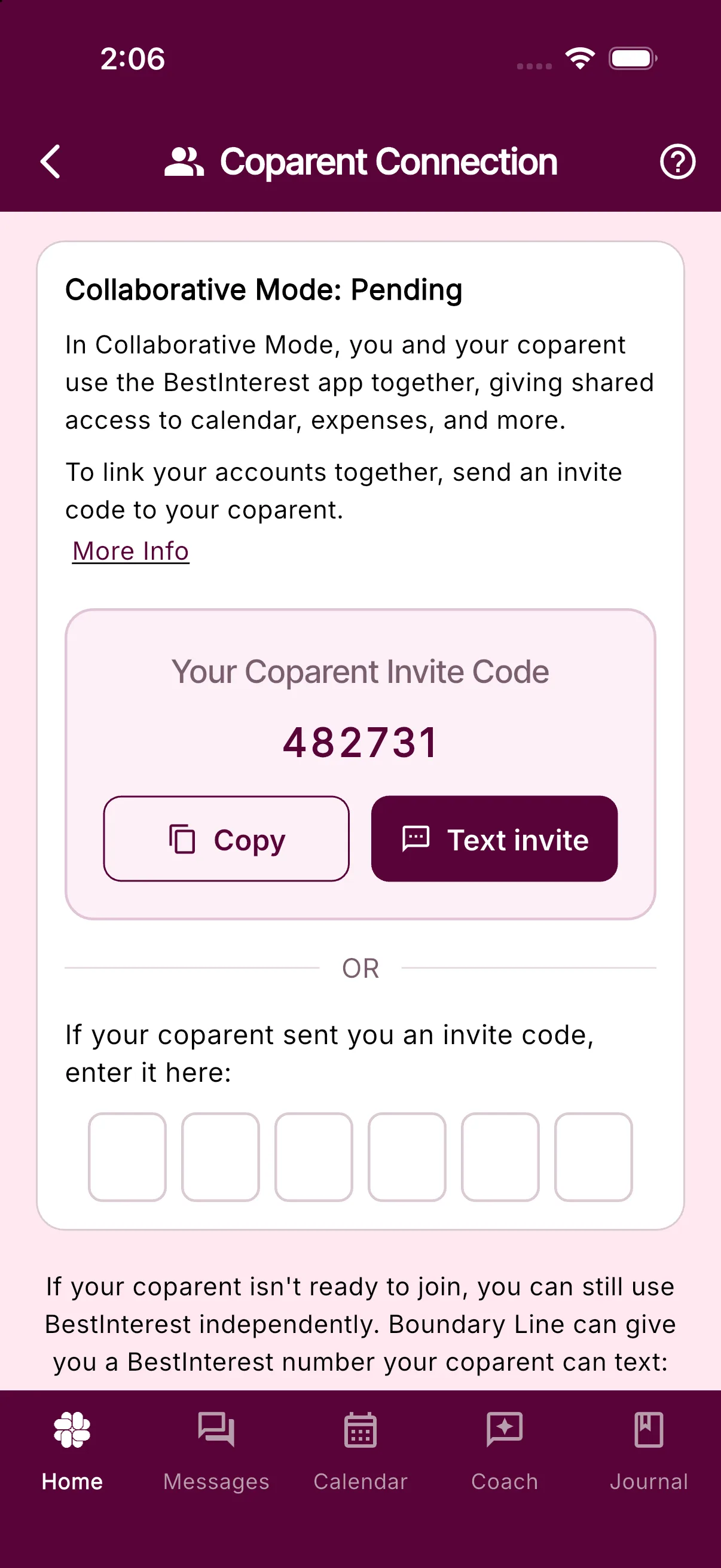
Coparent invite codes are six-character alphanumeric codes and are different from referral or promotion codes. To connect:
- One parent opens Settings > Coparent Connection and taps Get My Invite Code.
- That parent shares the code with the other parent.
- The other parent opens Settings > Coparent Connection, enters the six-character code under If your coparent sent you an invite code, enter it here, and taps Continue on the Link accounts? prompt.
Only one parent needs to enter the other parent’s code.
If You Cannot Generate a Code
- Confirm that you are signed in and have a working internet connection.
- Install the latest BestInterest update.
- Close and reopen the app, then return to Settings > Coparent Connection.
- Select Get My Invite Code again.
If no code appears after tapping Get My Invite Code (or, during setup, you see Could not generate invite code. Try again.), contact support.
If the Code Is Rejected
If BestInterest rejects the code, it shows Could not link coparent. Check the code.
- Confirm that all six letters and numbers were entered in the correct order.
- Ask your coparent to read the current code directly from Coparent Connection.
- Make sure you entered a coparent invite code rather than a referral code.
- Confirm that you are connecting the intended two accounts.
- If either account is already connected to another coparent or family, stop and contact support before changing account information.
Still Unable to Connect?
Contact support and include the exact error message, the email address on your account, whether you generated or entered the code, and your app version. Do not send the invite code in a public message or screenshot.
Related Articles
Was this helpful?
Still need help?
Contact Support