
How do free trials, upgrades, cancellations, and plan expiration work?
BestInterest has a Free Plan that does not expire. Eligible offers for Connect, Protect, and Protect Plus may include a two-week free trial before a paid monthly or annual subscription begins.
The Apple App Store, Google Play, or hosted web checkout shows the exact trial eligibility, renewal date, billing period, and price for your account. Review that confirmation before subscribing because introductory offers may not be available to every account.
What Happens During a Free Trial?
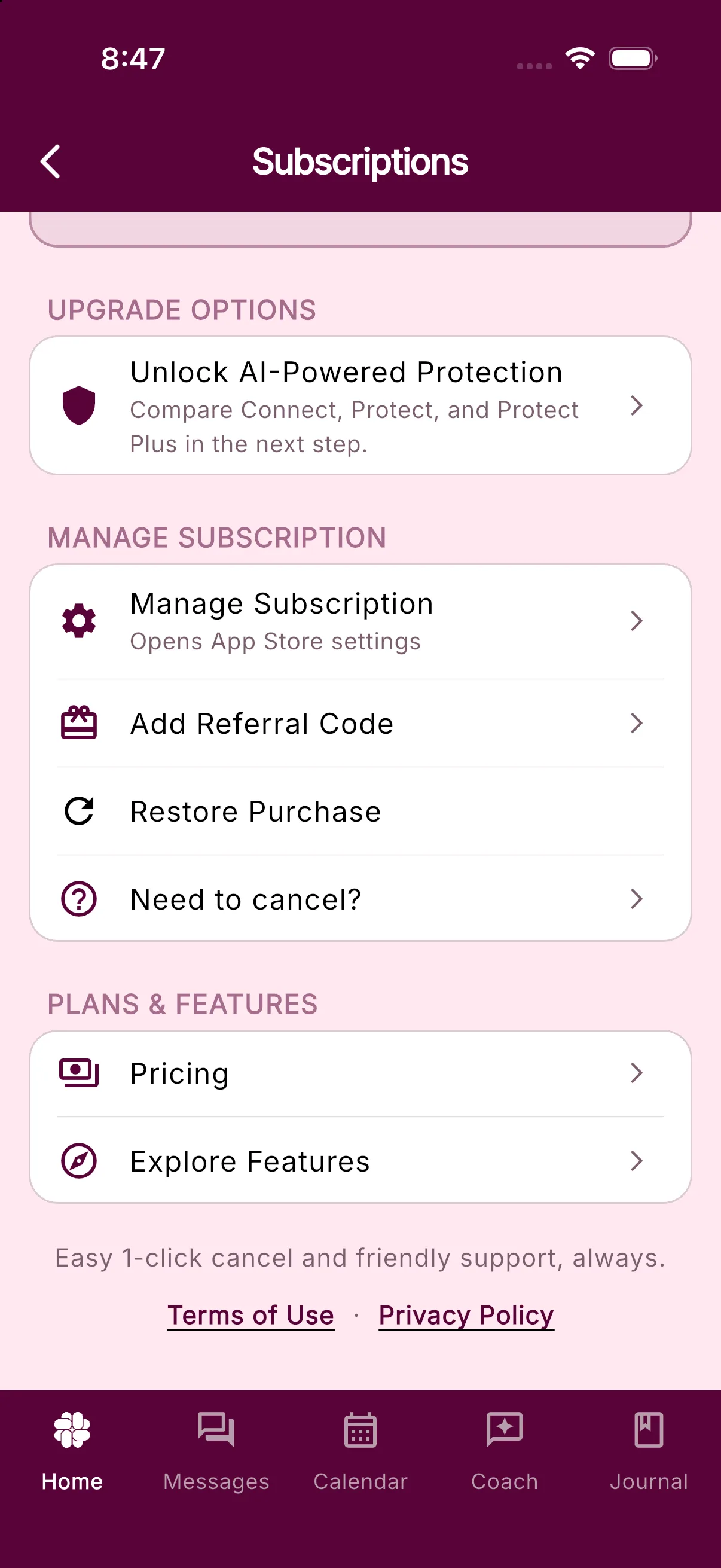
The trial unlocks the features included in the plan shown on the purchase screen. In BestInterest, open Settings > Manage Subscription to see the active plan and, on a trial, the Ends date.
Unless you cancel before the billing provider’s deadline, the trial automatically becomes the paid subscription shown when you confirmed the purchase. Apple recommends canceling a free trial at least 24 hours before it ends; Google Play and the RevenueCat Billing Customer Portal show the applicable renewal date in your subscription details.
How Do I Upgrade?
In BestInterest:
- Open Settings > Manage Subscription.
- Choose the available plan upgrade.
- Review the plan, billing period, price, and effective date on the Apple, Google, or hosted web purchase screen.
- Confirm the purchase with the billing provider.
Eligible monthly subscribers may also see Switch to Annual Billing. In the web app, an upgrade opens hosted web checkout when web billing is available. An active subscriber may also see Pay on the web; cancel any existing renewing App Store or Google Play subscription before continuing because web checkout does not cancel it automatically.
What Happens If I Cancel?
Cancel through the provider that billed the subscription. For a web purchase, use the Customer Portal link in the RevenueCat Billing confirmation or invoice email. Canceling turns off automatic renewal; it does not delete your BestInterest account, erase your records, or automatically issue a refund.
Access normally continues until the trial or paid period ends, as shown by Apple, Google Play, or the RevenueCat Billing Customer Portal. Provider rules can vary by country, so the expiration date in your billing details is the authoritative date.
See How do I cancel my subscription? for step-by-step instructions.
What Happens When Paid Access Expires?
Your BestInterest account remains available on the Free Plan. Core free features and your existing account data remain, while features that require Connect, Protect, or Protect Plus are no longer available after the paid entitlement ends.
You can resubscribe later from Settings > Manage Subscription by tapping Resubscribe. If the store shows an active subscription but BestInterest shows the Free Plan, use Restore Purchase in the MANAGE SUBSCRIPTION section instead of buying the plan again.
Related Articles
Was this helpful?
Still need help?
Contact Support