
How do refunds, purchase restoration, and billing problems work?
BestInterest subscriptions may be billed through the Apple App Store, Google Play, or RevenueCat’s hosted web checkout. Use the provider that made the charge when managing billing, requesting a refund, or restoring access.
Request a Refund
Canceling a subscription does not automatically refund a previous charge.
- Apple purchase: Use Apple’s Request a Refund page, sign in to the Apple Account that made the purchase, and select the BestInterest charge.
- Google Play purchase: Use Google Play’s refund request, signed in to the Google account that made the purchase.
- Web purchase: Contact BestInterest support with the RevenueCat Billing invoice or receipt number and purchase date.
Refund eligibility and timing are determined under the applicable store policy and local law. If Google Play directs you to the app developer, contact BestInterest support with the Google Play order ID and purchase date. Never send a password or full payment-card number.
Restore an Active Purchase
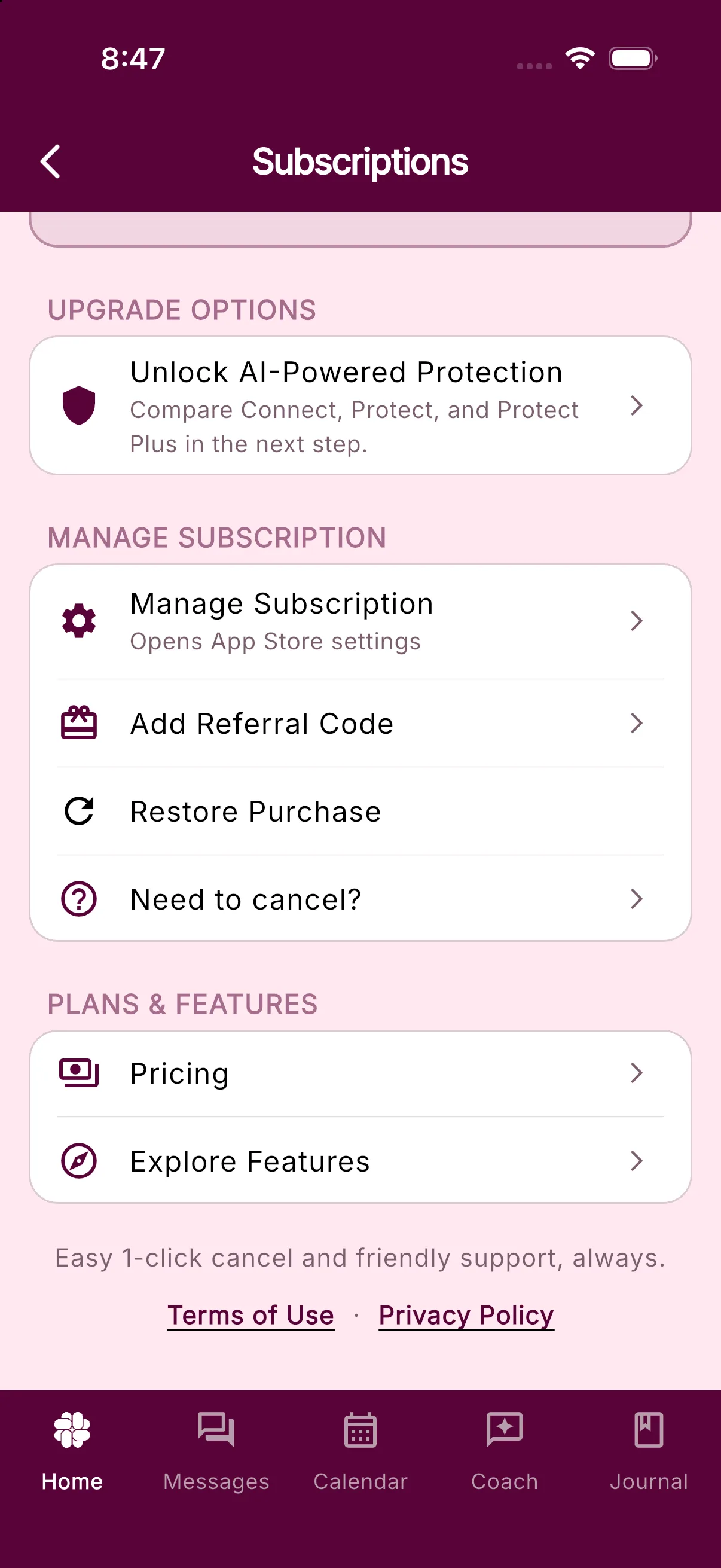
Restoring checks the store account for an existing BestInterest entitlement. It does not create a new charge.
- Confirm that the device is signed in to the Apple ID or Google account that purchased BestInterest.
- Open the BestInterest iOS or Android app.
- Go to Settings > Manage Subscription.
- Select Restore Purchase.
App-store purchase restoration is not available in the web app. A web purchase made through an identified BestInterest checkout link is attached directly to the BestInterest account used for checkout and does not need Restore Purchase. If you see No active purchases found to restore, check the store’s subscription list under the current Apple or Google account.
Fix a Payment or Renewal Problem
For an Apple or Google Play purchase, open Settings > Manage Subscription, then tap Manage Subscription in the MANAGE SUBSCRIPTION section. On iOS this opens App Store subscription settings; on Android it opens Google Play subscription settings.
There you can:
- Confirm whether BestInterest is active, canceled, expired, or in a billing-retry period
- Review the next renewal or expiration date
- Update the store payment method
- Check which Apple ID or Google account owns the subscription
If a payment fails, Apple or Google controls retry and grace-period behavior. Update the payment method in the store rather than purchasing the same plan again.
For a web purchase, use the Customer Portal link in the RevenueCat Billing confirmation or invoice email to update the payment method, review invoices, or cancel. If you are moving an active subscription from Apple or Google Play to web billing, cancel the renewing store subscription first. A web purchase does not cancel it automatically, and both subscriptions could renew.
If the Store Shows Active but BestInterest Does Not
Use Restore Purchase once, then reopen Settings > Manage Subscription. If the wrong plan remains, contact support with your BestInterest account email, platform, plan name, purchase date, store order or transaction ID, and the exact restore message.
Related Articles
Was this helpful?
Still need help?
Contact Support