
How to Upload Your Parenting Plan
Parenting Plan Review is included with Protect and Protect Plus. It turns the available text in your agreement into structured context that Coparent Coach can use when answering questions. The uploaded document remains the source of truth, and you should check the review before relying on it.
Upload your plan
- Open Settings > Parenting Plan.
- Under PARENTING PLAN, choose Yes for Do you have a parenting plan?
- Tap Upload Plan.
- Choose one PDF, PNG, JPG, or JPEG file containing your parenting plan or custody order.
- Wait for Your parenting plan is being reviewed. BestInterest notifies you when the review finishes, and the card then reads Parenting plan uploaded.
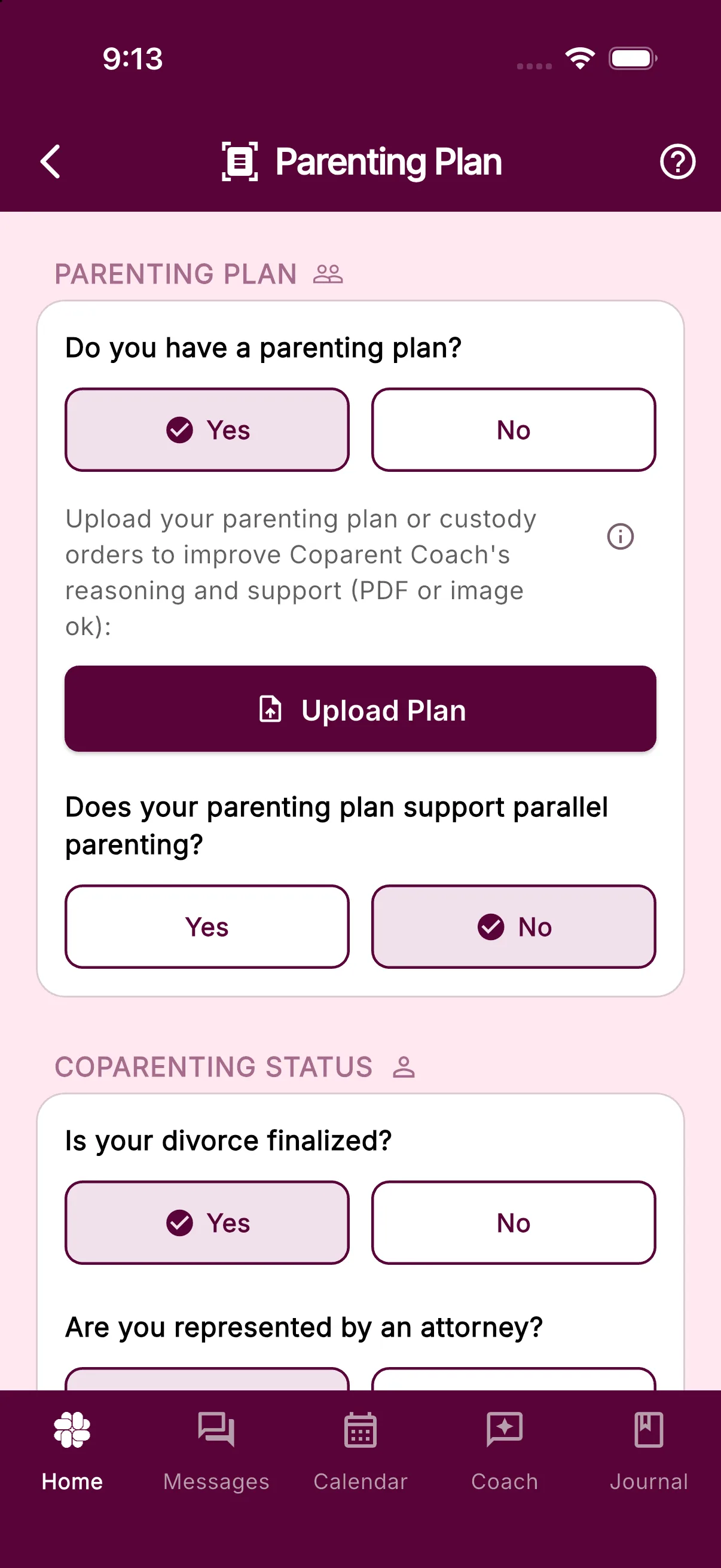
Free and Connect accounts can answer the questions on this screen, but uploading and AI review require Protect or Protect Plus. The screen shows Upgrade to a premium plan to upload and get an AI review of your parenting plan when an upgrade is needed.
The file picker accepts one file at a time. If the agreement spans several PDFs, combine them into one PDF before uploading. For an image or scan, make sure the complete document is upright and readable.
What the review records
BestInterest checks whether the file appears to be a parenting plan or court order and organizes provisions such as:
- Parenting time, exchanges, holidays, travel, and custody arrangements
- Child support, reimbursements, payment methods, and shared expenses
- Communication, decision-making, safety, and other restrictions
- A recurring custody schedule and any communication app named in the agreement
- The plan date and whether the document shows a judge’s signature, court stamp, or explicit court approval
Court approval is not required. The review can process a court order or an informal parenting agreement when the document is readable and clearly contains parenting-plan terms. The original PDF or image is deleted after review. Keep your own copy so you can check the reviewed terms against it.
AI review can make mistakes. If important wording is missing or misinterpreted, check the original document and contact support.
Who can see it
Your upload and reviewed plan stay private to your account, including while review is pending. A connected coparent cannot replace or remove the plan that informs your Message Shield and Coparent Coach.
In Collaborative Mode, you can tap Offer a copy to my coparent after review. Your coparent can inspect the reviewed terms and choose Use this plan when they do not already have a plan. That creates an independent copy in their account; their choice does not change your plan. The offer stays available until you withdraw it or remove your plans, while you remain connected. It is hidden while your coparent has a plan or a review in progress and becomes available again if they remove their plan. You can cancel the offer even after acceptance to prevent future use, but you cannot recall a copy they already accepted. Accepting does not send you a notification; the exchange is recorded in Coparenting History. The original uploaded file is not included in the offer.
Replace or remove the plan
To upload a newer version, open Settings > Parenting Plan and tap Replace. Replace is unavailable while a review is running. After the new review succeeds, BestInterest makes that version active for your account and keeps your older reviewed version as an inactive record.
To erase all your reviewed versions and stop using them for filtering and coaching, tap Remove, then confirm Remove Parenting Plan. This also cancels your pending offers. Copies already accepted by your coparent remain in their account. Your separate Do you have a parenting plan? answer stays as you set it.
Related articles
Was this helpful?
Still need help?
Contact Support