
The call ends. The important details do not have to disappear.
On Protect Plus, record your BestInterest calls and get AI transcripts of in-app audio and video — so you can revisit what was said instead of relying on memory.
A Protect Plus exclusive. In-app recordings can be transcribed; Boundary Line phone recordings are audio only. Recording must follow the laws that apply to everyone on the call. Review the Terms of Service.
From a real co-parent
“This app has given me peace and safety by not being harassed by my ex anymore. No more unexpected phone calls, name calling, etc.”
A clearer record after the conversation
Spend less energy replaying the call in your head.
When a conversation happens out loud, the details blur quickly. The recording gives you something concrete to return to, and the transcript makes it easy to review.
Less pressure to remember every word
Return to a supported recording when a verbal agreement, date, or detail matters after the call is over.
A faster way back to the conversation
Eligible in-app audio and video calls can produce a readable transcript, so you can locate the part you need without replaying the entire call.
A record you choose to keep
Recording stays off until you enable it. When a supported recording is ready, you can review or download it from call history.
From setup to review
Enable it once. Keep supported calls when they happen.
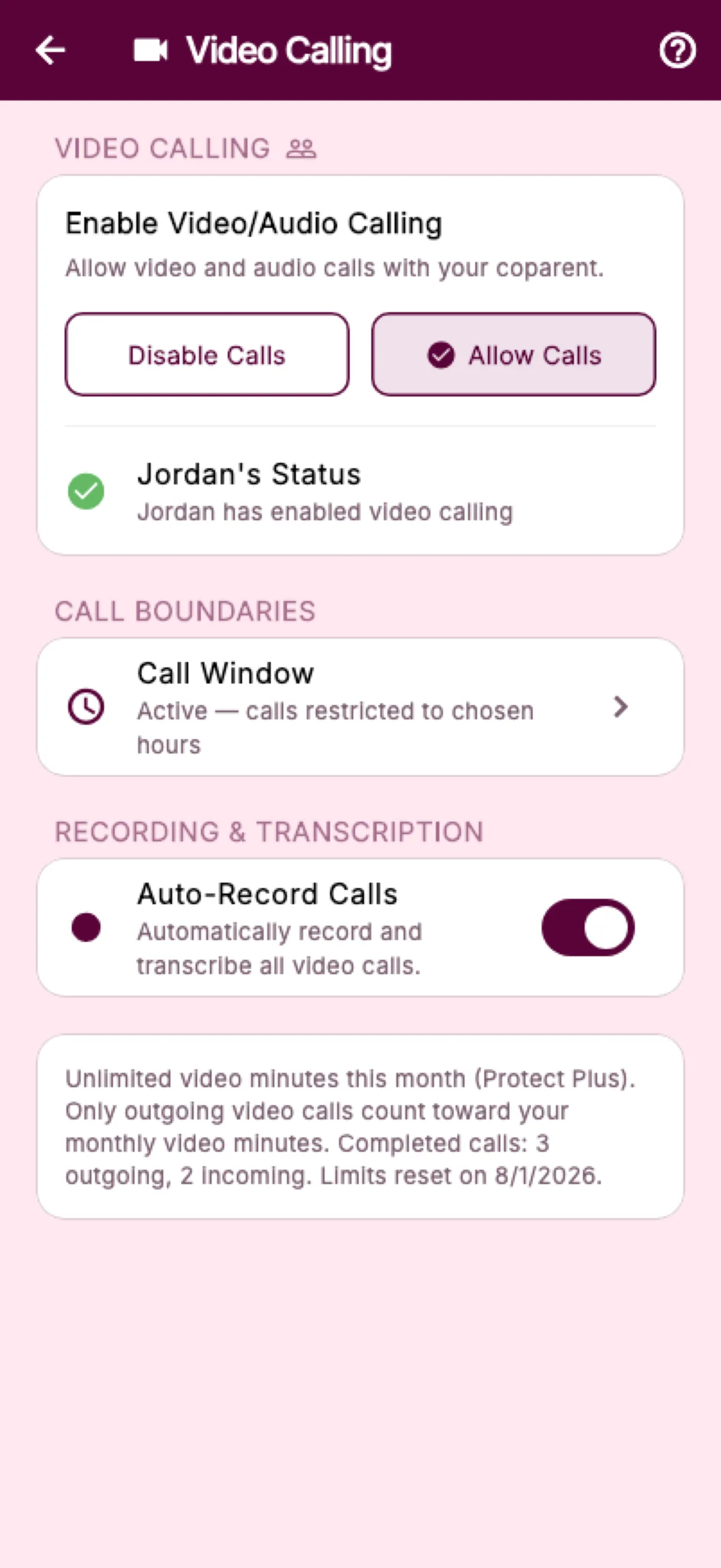
Call recording is optional and stays off until you turn it on in Calling Settings. Before enabling it, BestInterest asks you to acknowledge your responsibility to follow the recording and consent laws that apply.
After setup, supported calls record automatically. When processing finishes, the available recording and any eligible in-app transcript appear with the call history for later review.
- 1
Enable
Acknowledge the requirements and turn recording on - 2
Record
Supported calls record automatically after setup - 3
Review
Download the recording or open an eligible transcript
Know what each channel keeps
In-app calls and Boundary Line do not create the same record.
Both calling paths record on Protect Plus. Transcription is currently limited to in-app audio and video calls.
Collaborative Mode · In-app calls
Recording plus transcription
Supported in-app audio and video calls can be recorded automatically after setup. When processing completes, eligible recordings can also provide a transcript.
View the in-app calling Help GuideSolo Mode · Boundary Line
Recording without transcription
Supported Boundary Line phone calls can be recorded automatically after setup. The audio recording can be reviewed or downloaded, but a transcript is not currently created.
View the Boundary Line Help GuideThe record has layers
Keep the call details clear without mixing every file together.
Call history, media, transcripts, and exports serve different purposes. BestInterest keeps those boundaries visible so you can choose what to review or share.
Call history
Keep the practical facts together
Supported history can retain details such as date and time, role or direction, status, duration, and whether recording was enabled.
Recording & transcript
Return to what was actually said
Review or download the recording where available. For eligible in-app calls, open the AI-generated transcript as a separate record.
Verified Report
Share the call log—not the private media
A call report can organize supported call-log details. It does not embed the recording or transcript, which remain separate files.
Questions, answered
Call Recording & Transcription FAQ
Which BestInterest calls can be recorded?
Protect Plus can record supported in-app audio and video calls in Collaborative Mode and supported Boundary Line phone calls in Solo Mode after call recording is enabled.
Which calls can BestInterest transcribe?
Eligible in-app audio and video recordings can create transcripts. Boundary Line phone recordings are not currently transcribed.
Does call recording start automatically?
Recording stays off until you enable it in Calling Settings and acknowledge your responsibility to follow the consent and recording laws that apply. After setup, supported calls record automatically while the setting remains enabled.
Where can I find a recording or transcript?
When processing is complete, available recordings appear with the supported call history for review or download. Eligible in-app calls can also show a View transcript action.
Does a Verified Report include the recording or transcript?
No. A call report can include supported call-log details such as date and time, role or direction, status, duration, and whether recording was enabled. The recording and transcript remain separate files.
Are call transcripts always accurate?
No. Transcripts are AI-generated and can contain errors. Compare important wording with the recording before relying on the transcript.
Do I need consent to record a call?
Recording and consent laws vary by location and can depend on where every participant is located. You are responsible for understanding the rules that apply and obtaining every legally required permission before recording.
Which plan includes call recording and transcription?
Call recording and eligible in-app transcription are Protect Plus features. Protect Plus also includes unlimited supported calling.
Keep the details that matter