
Write it down once. Keep the original record intact.
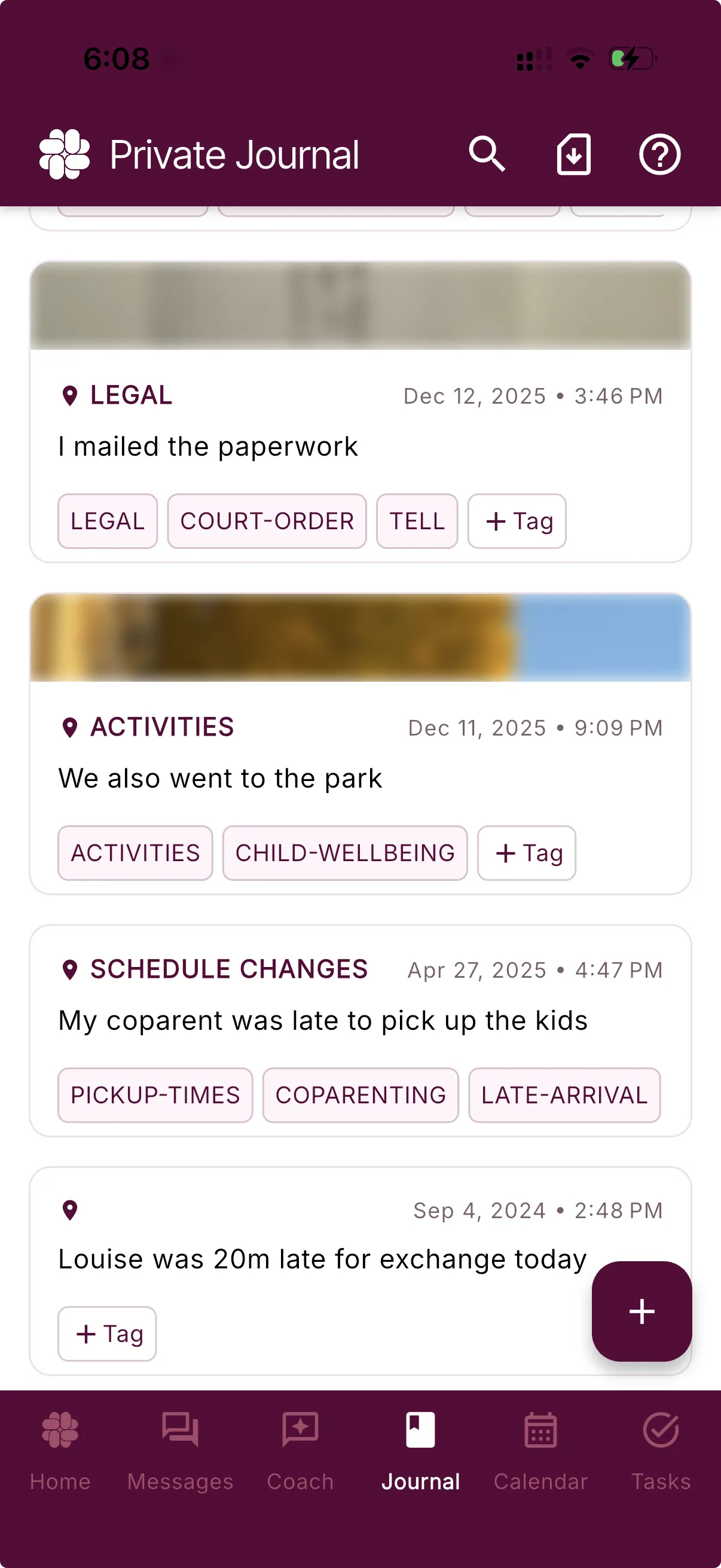
A trusted, private journal to record where and when something happened, so you have documentation to give to professionals and courts if needed.
Journaling is included in our Free Plan. Photo uploads start on Connect; Magic Tags™ start on Protect. Compare plans.
From a real co-parent
“I needed solid documentation for my custody case, and the journal feature on BestInterest made it so simple. My lawyer was impressed with how organized everything was.”
Built for record integrity
The original entry stays the original entry.
Apple Notes and Google Docs are made to be edited, making them hard to trust in court. BestInterest is made to preserve what you wrote at the time, so a later reviewer can distinguish an original entry from a revised document.
Locked after you save
Once saved, you cannot edit its original note, timestamp, photos, or location. Add new context in a new entry so the timeline stays clear.
Timestamped automatically
BestInterest records when each entry is created, helping show what you documented at that point—not reconstructed later.
Geotagged only when you choose
Add your device location to show where you were when you made the entry. Location stays optional and requires your permission.
The whole coparenting picture
Not every entry has to be about conflict.
Document the moments that need clarity: a changed exchange, an agreement, a missed reimbursement, or an important update.
Keep the ordinary and positive moments, too. A useful journal can reflect the full history—not only the hardest days.
Exchange
Pickup moved to the school entrance.
School
Teacher conference scheduled for Friday.
Agreement
Confirmed the holiday handoff time.
Search that meets you where memory stops
Find the entry—even when you do not remember the exact words.
Search the idea you remember, such as “holiday handoff changes,” and BestInterest can surface relevant entries even when your original wording was different.
You can also narrow the journal by tag or date range when you know exactly where to look.
holiday handoff changes
Relevant entry
Agreement
Confirmed the updated holiday exchange time.
Search by meaning, tag, or date range
Useful from the first entry
Start with a complete free journal. Add more when it helps.
The core record does not sit behind a subscription. Paid plans add richer attachments, automatic organization, and expanded report options.
Free
A complete private journal
Create entries, add manual tags and optional location, search your history, and export supported journal data.Connect
Keep photos with the entry
Add photo attachments and create up to 10 structured Verified Reports each month.Protect & Protect Plus
Let organization happen in the background
Magic Tags™ can categorize new entries automatically, and unlimited Verified Reports give longer histories more room.Questions, answered
Coparenting Journal FAQ
Is BestInterest's co-parenting journal free?
Yes. The Free plan includes private, non-editable journal entries, timestamps, manual tags, optional location, search, and data export. Photo uploads require Connect or higher, while Magic Tags™ require Protect or Protect Plus.
Can I edit a journal entry after I save it?
No. After an entry is saved, you can delete it or manage its tags, but you cannot change the original note, timestamp, photos, or location. If you need to add context or correct a detail, create a new entry so the timeline remains clear.
Can my coparent see my journal?
No. Journal entries are owner-scoped and are not shared with a linked coparent. If you export entries and send the file to someone, that copy is controlled by the people and services you choose to share it with.
What should I write in a coparenting journal?
You can document exchanges, schedule changes, agreements, expenses, school or medical updates, important conversations, concerns, and positive moments. Keep entries factual, specific, and focused on what you directly observed or agreed.
How does journal search work?
Search in your own words to find entries by meaning, or narrow the journal using tags and a date range. This can help when you remember the event but not the exact phrase you used.
Can I add photos or a location to an entry?
Location is optional and can be included when you allow location access. Photo attachments require Connect, Protect, or Protect Plus.
Can I share journal records with a professional?
Yes. Data export is included on Free, and Connect or higher adds structured Verified Reports. You decide what to export and who receives it.
Can a coparenting journal help with professional or court review?
An organized journal can help an attorney, mediator, therapist, evaluator, or court understand what you documented and when. BestInterest preserves the original entry after you save it and records its creation time, plus location if you chose to include it. The applicable process determines whether a record is admitted and how much weight it receives.
Why use a journal app instead of a notes app?
Apple Notes and Google Docs are designed to be edited. BestInterest preserves the original journal entry after you save it and records its creation time, plus an optional geotag. This gives a later reviewer clearer context about what you documented at the time.
A clearer timeline starts with one entry