
Emotional safety is a product feature, not an afterthought.
A co-parenting record matters. So does how difficult content reaches you. BestInterest gives you personal controls for notifications, images, and filtered originals—so you can stay informed without giving every message immediate access to your attention.
Already using BestInterest? The Help Guide explains every setting.
From a real co-parent
“I am finally free from the emotional thread that tied me to him. This app is the genie that has finally freed me.”
Why it matters
Documentation protects the record. Emotional Safety protects the moment it reaches you.
Messaging, calendars, and records solve the logistics. They do not solve the moment your phone lights up with something you are not ready to see. Emotional Safety adds a second layer: private, recipient-side controls around the experience of receiving co-parent communication.
Personal by design
Your co-parent does not set these preferences. They shape your own view and notifications.
Layered protection
Choose a lighter touch with blurring and batching, or hide specific content until you opt in.
Information stays available
Filtered originals remain available to reveal; Emotional Safety changes exposure, not the record.
One control center
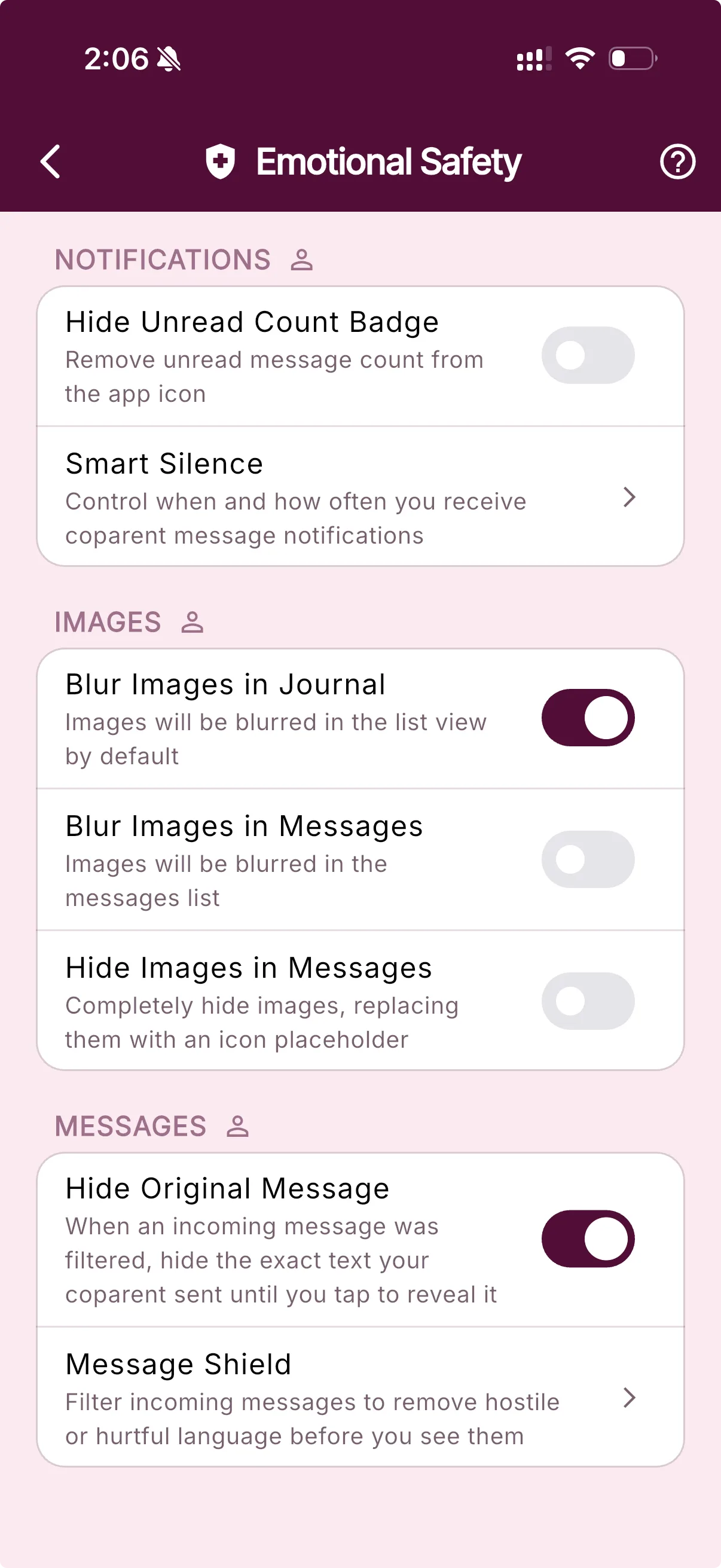
Choose what reaches you—and when.
Each setting addresses a different kind of unwanted exposure.
Notifications
Break the false urgency
Remove the unread badge from the app icon, then use Smart Silence to choose when non-urgent co-parent messages notify you.
Explore Smart SilenceImages
Put visual content behind your choice
Blur journal and message images by default, or replace message images with a placeholder until you choose to view them.
Explore the journalMessages
Read the useful part before the original wording
When Message Shield filters an incoming message, keep the exact text behind a tap-to-reveal prompt until you are ready to see it.
Explore Message Shield